Mar 27, 2026|Zer0
Can This AI Academic Research Assistant Save You 20 Hours a Week?
If you are navigating the academic landscape in the US or Europe, the pressure to maintain a steady output of peer-reviewed research is a constant reality. However, a significant portion of an academic’s week is often consumed by administrative friction—managing messy reference libraries, manually extracting data into spreadsheets, and formatting citations.
In the search for the best research tools for academic writing, the market has been flooded with general-purpose AI chatbots. The problem? Most of these tools are prone to hallucinations, rendering them unreliable for rigorous scholarly work.
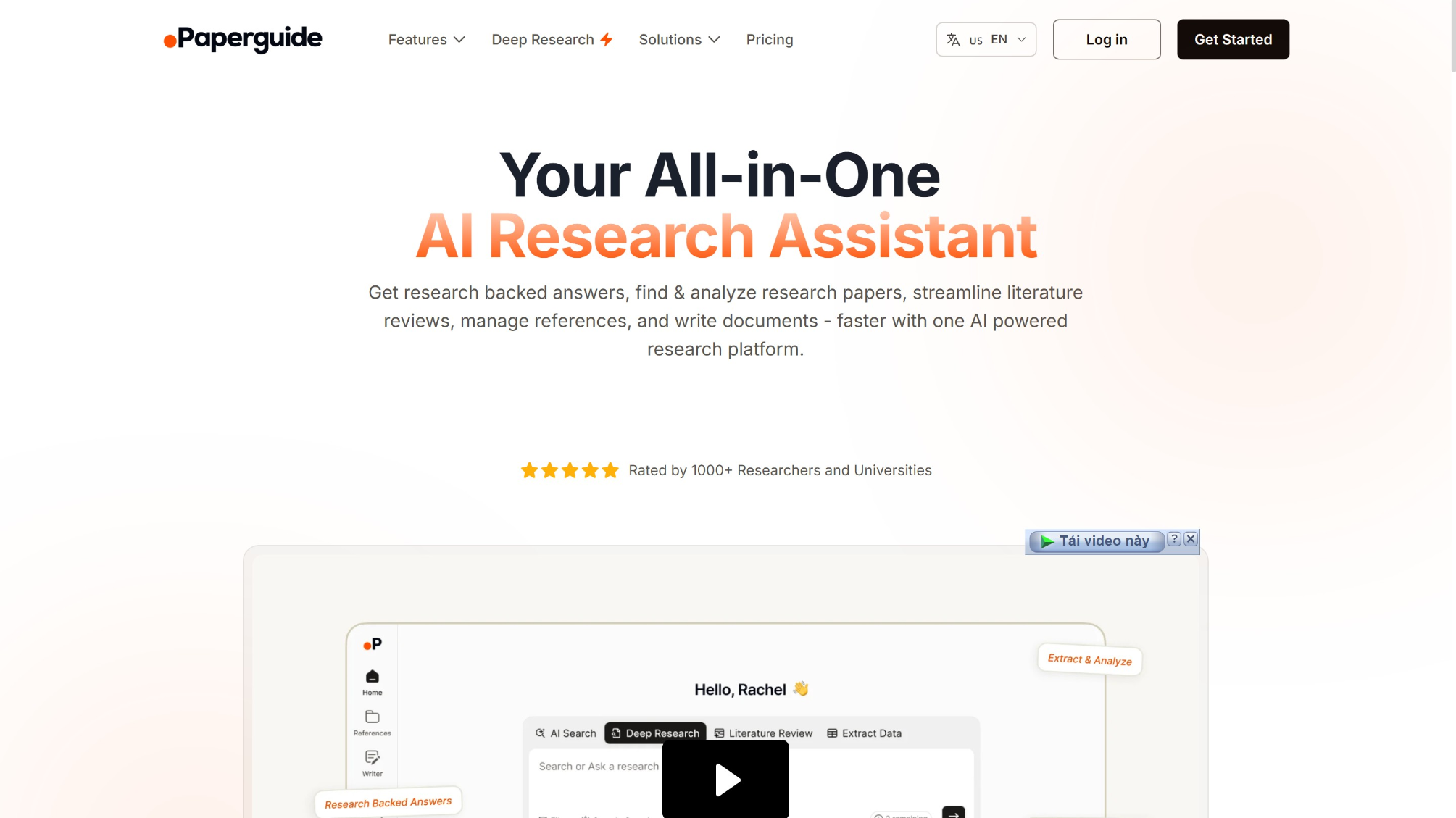
Paperguide approaches this differently. Positioned as a dedicated, citation-backed ecosystem, it aims to consolidate discovery, reading, and drafting into a single platform. In this review, we bypass the marketing hype to test exactly how this AI academic research assistant performs in a realistic academic workflow, where its limitations lie, and whether it deserves a place in your tech stack.
What is Paperguide? (Beyond the Chatbot Wrapper)
The primary skepticism academics have toward AI is data integrity. An AI that invents a citation is a career liability.
Paperguide mitigates this by functioning as a closed-loop AI academic research assistant. It is connected directly to a database of over 200 million open-access scientific papers. When prompted, it does not scour the open web; it retrieves data exclusively from published literature, providing verifiable, clickable in-text citations.
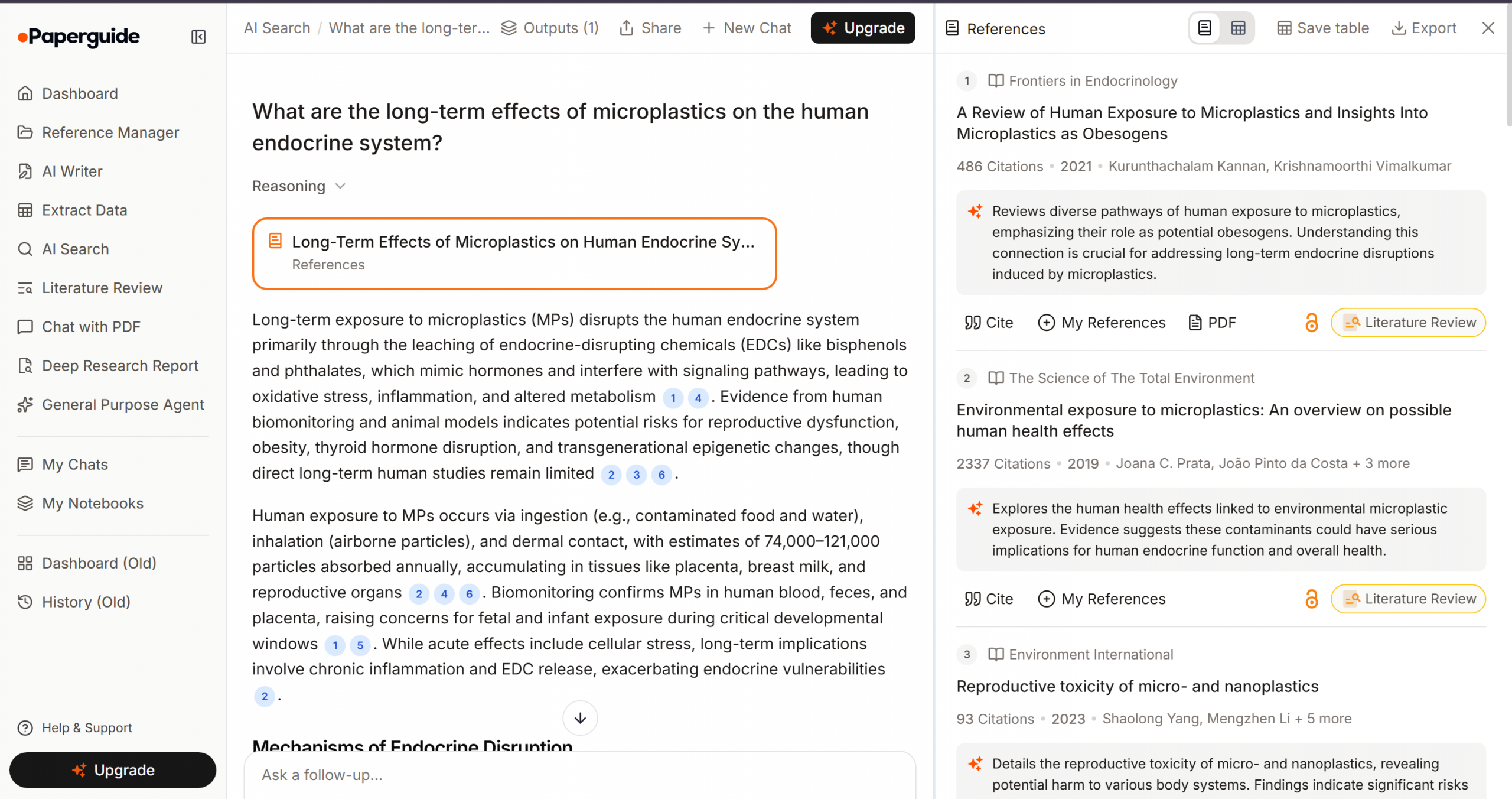
Rather than toggling between Google Scholar for discovery, Mendeley for storage, and Microsoft Word for drafting, Paperguide integrates these utilities. The objective is to reduce context-switching, which is a critical factor in improving AI for scientific research productivity.
Workflow Stress-Test: Evaluating the Core Features
To determine its actual value, we need to examine how Paperguide handles the three most labor-intensive phases of academic writing.
Phase 1: Synthesizing the Literature Matrix
The literature review requires meticulous organization. Traditionally, this involves reading abstracts and manually inputting variables—such as methodology, sample size, and limitations—into a comparative spreadsheet.
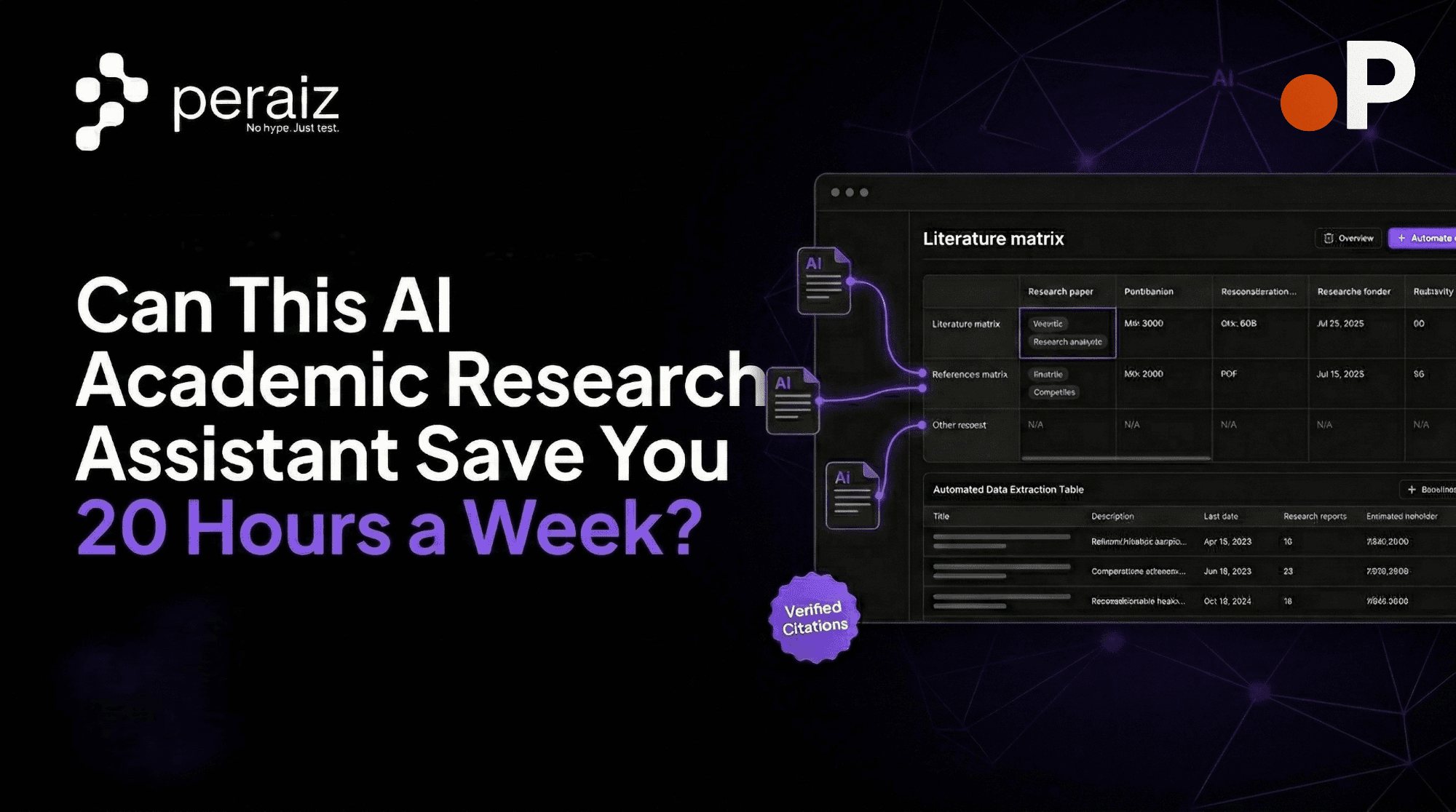
Paperguide’s automated literature review software module attempts to bypass this manual data entry. By selecting multiple papers from a query, the AI extracts predefined core data points and generates a comparative matrix.
- The Reality Check: It is highly effective for identifying broad trends and contrasting methodologies across a dozen open-access papers rapidly. However, it is not a replacement for deep critical analysis. You still need to interpret the matrix, but it successfully automates the initial data-gathering phase.
Phase 2: Accelerated Deep Reading
Navigating dense, 50-page scientific PDFs to locate a specific statistical model can take hours. Paperguide utilizes an integrated “Chat with PDF” function that acts as a targeted academic summarization AI.
Instead of a generic summary, you can apply highly specific prompts to your uploaded documents:
- “Extract the primary limitations of the control group mentioned by the authors.”
- “What specific p-value was reported for [Variable X]?”
- The Reality Check: Because it utilizes robust AI citation and summarization tools, the AI highlights the exact paragraph it pulled the information from. This feature is remarkably accurate, significantly reducing the time spent skimming, though researchers should always verify the highlighted text against the original context.
Phase 3: Drafting and Re ference Management
Formatting bibliographies and tracking in-text citations is notoriously tedious. Paperguide includes an AI Writer designed to help outline and draft sections based strictly on your uploaded library.
More importantly, it functions as a smart citation generator for researchers. As you write, or as the AI assists in drafting a section, it automatically formats the in-text citations to your specified style (APA, MLA, Chicago, etc.).
- The Reality Check: It offers 1-click synchronization with Zotero and BibTeX. This is crucial because it means you do not have to abandon your existing reference libraries. The synchronization is generally smooth, though managing very large, nested Zotero folders can sometimes require manual reorganization within Paperguide.
Academic Research AI Tools Comparison: Paperguide vs. The Market
If you are conducting academic research AI tools comparison, it is vital to understand where Paperguide fits among its peers.
| Feature / Tool | Paperguide | ChatGPT Plus | Consensus | SciSpace (Typeset.io) |
| Primary Function | End-to-end Workspace | General Text Generation | AI Search Engine | PDF Reader & Formatter |
| Citation Accuracy | High (Database-backed) | Low (Prone to hallucination) | High (Database-backed) | High |
| Literature Matrix | Yes (Automated) | No | Limited | Yes |
| Reference Sync | Yes (Zotero/BibTeX) | No | Export only | Yes |
- Versus ChatGPT: ChatGPT is a brainstorming tool; Paperguide is a research environment. Using ChatGPT for academic writing carries high risks of fabricated citations.
- Versus Consensus: Consensus is excellent for finding initial answers and papers, but it lacks the comprehensive drafting and reference management workspace that Paperguide offers.
- Versus SciSpace: SciSpace is a formidable competitor with strong PDF reading capabilities. However, many users find Paperguide’s UI for literature matrix generation and its Zotero synchronization slightly more intuitive for complex projects.
Pros & Cons: Assessing the ROI on Productivity
Does it actually improve AI for scientific research productivity? Here is an objective look at its strengths and limitations.
The Pros:
- Reduced Context-Switching: Keeping your PDFs, matrices, and drafting windows in one application genuinely improves focus.
- Verifiable Output: The strict adherence to a 200-million paper database ensures a high level of academic integrity.
- Legacy Integration: Zotero and BibTeX support means seamless onboarding for established researchers.
The Cons:
- The Paywall Barrier: While its database is vast, it primarily searches open-access papers. If an article is behind a publisher’s paywall (e.g., specific Elsevier journals), you must manually download the PDF via your university credentials and upload it to Paperguide.
- Learning the Prompts: To get the best results from the AI Writer and summarizer, you must learn to write highly specific, constrained prompts. Broad questions will yield broad, less useful answers.
Pricing Breakdown: Which Plan Fits Your Research Needs?
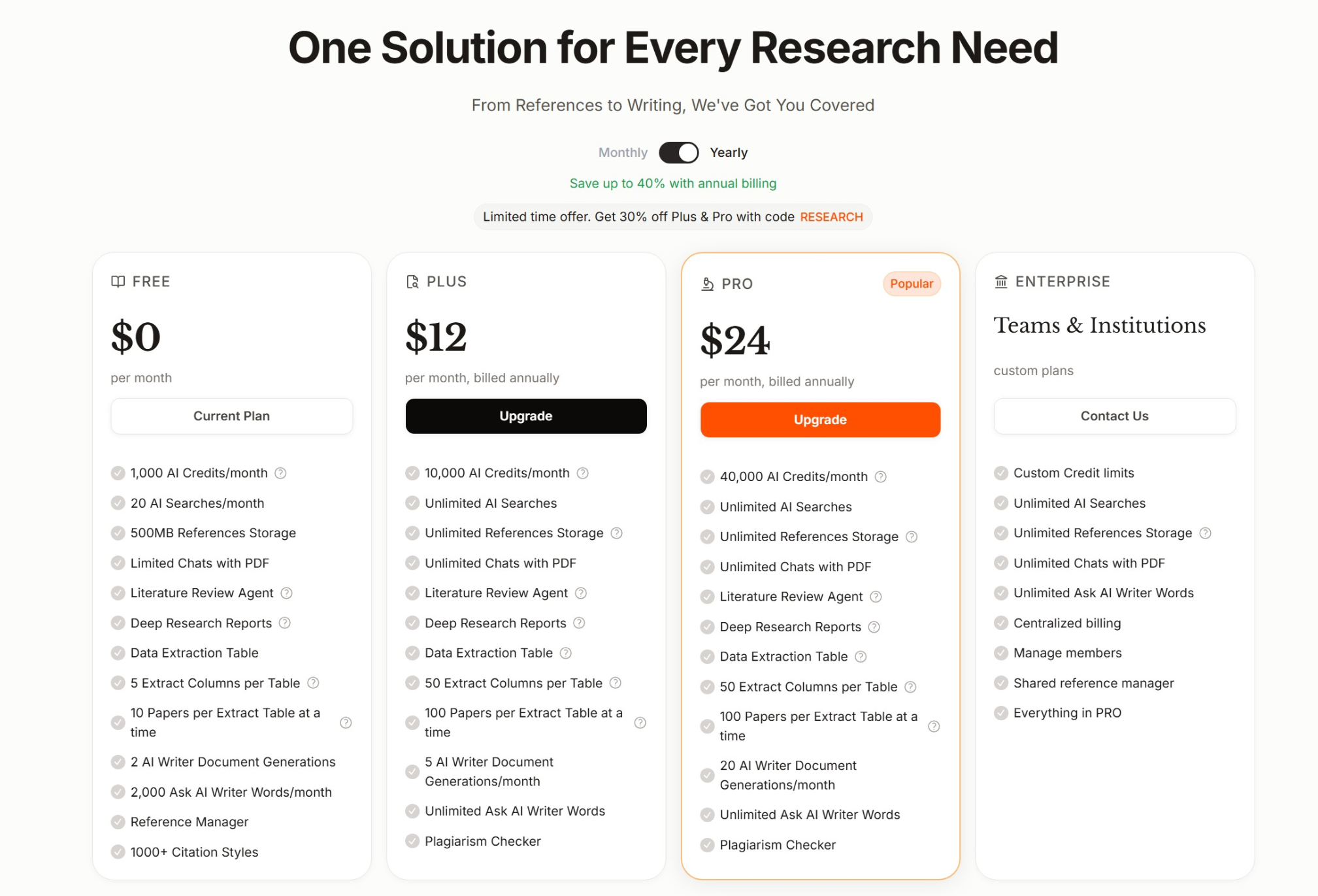
When evaluating the best research tools for academic writing, pricing transparency is critical. Paperguide offers a tiered model that caters to everyone, from cash-strapped undergraduates to fully funded university labs. Currently, they offer up to 40% savings with annual billing, and a limited-time 30% discount on Plus and Pro plans using the code “RESEARCH“.
Streamline Your Academic Workflow
The demands of academic publishing are rigorous enough without the added friction of disorganized data and manual formatting. If you are ready to transition from manual data entry to focused, high-level analysis, it is time to upgrade your toolset.
Experience a more organized, efficient research process.
Start your free trial with Paperguide here and test it on your next literature review.
FAQs
1. Is Paperguide safe to use regarding university plagiarism policies?
Yes. Paperguide is an AI academic research assistant designed to help organize and synthesize information, not to act as a ghostwriter. Because it uses verified citations and encourages you to draft in your own voice based on uploaded data, it aligns with ethical research practices. Always review your institution’s specific AI policies.
2. How does it handle complex scientific jargon and formulas?
The academic summarization AI is trained on scientific literature and generally handles jargon well. However, for highly complex mathematical formulas or specialized biochemical structures embedded within PDFs, the AI may occasionally struggle to parse the visual formatting correctly.
3. Can I import my existing Mendeley or Zotero library?
Yes. The platform is designed to work alongside existing workflows. You can easily import your libraries via BibTeX files or direct Zotero synchronization.