Dec 30, 2025|Jully
APOB AI Beginner’s Guide to AI Model Generation Create Custom Avatars and Influencers
Are you ready to dive into the world of AI influencers and model generation? While directories like Peraiz are fantastic for discovering the latest creative AI tools, understanding how to actually use them is what sets successful creators apart. In this apob ai beginner’s guide to ai model generation: create custom avatars and influencers, we will walk you through everything you need to know about this powerful platform. Whether you are a seasoned content creator or just starting with AI technology, this guide will show you exactly how to generate highly customizable digital models, stunning images, and dynamic videos. Let’s explore!
What is APOB?
APOB is an advanced AI-powered platform designed to revolutionize how businesses and creators generate personalized, digital models and influencers. By leveraging cutting-edge artificial intelligence, APOB allows users to create hyper-realistic AI models that can be customized and transformed into images, videos, and even interactive avatars. Whether you’re an influencer, content creator, or business, APOB offers a seamless experience to generate captivating and engaging content.
Key Features of APOB:
-
AI Model Generation: Create highly detailed AI models with customizable attributes such as gender, age, ethnicity, and even specific facial features.
-
Influencer Generator: Build AI influencers tailored to your brand’s needs, whether for marketing, social media, or virtual presentations.
-
Image-to-Video: Transform static images of your AI models into dynamic videos with camera movements, transitions, and sound.
-
Talking Avatars: Generate avatars with lifelike voices and lip sync for enhanced interaction, perfect for educational or promotional videos.
-
User-Friendly Interface: Designed for both beginners and experienced users, APOB AI offers an intuitive platform that makes content creation simple.
APOB allows creators to generate a wide range of content without the need for real models or expensive production setups. Whether you’re a content creator looking to generate eye-catching visuals, a business aiming to create digital ambassadors, or someone exploring AI technology, APOB AI makes it accessible for all.
1. How to Use APOB (Step by Step)
APOB is designed to be user-friendly, even for beginners. Below are the steps you need to follow to create your very own AI models.
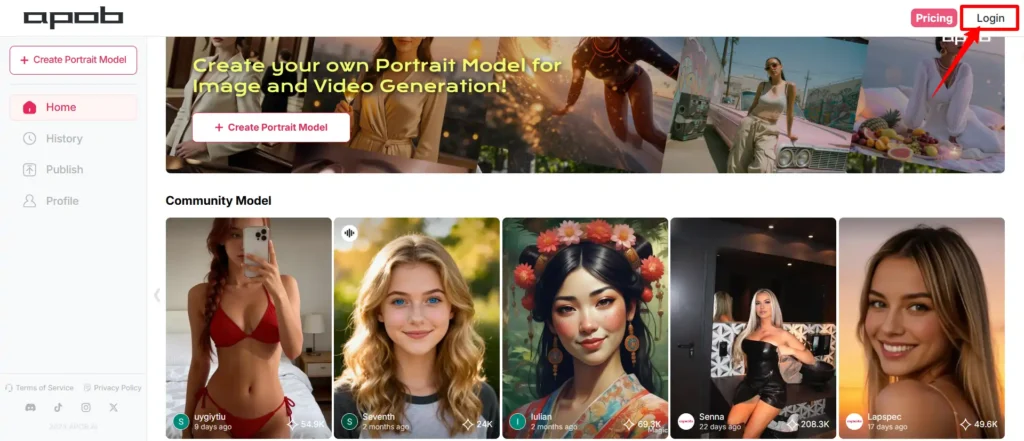
Step 1: Create Your Account
-
Head to the APOB website and sign up for a free account.
-
Once you sign up, you’ll receive 80 credits daily, which regenerate automatically.
-
No credit card is required for free membership.
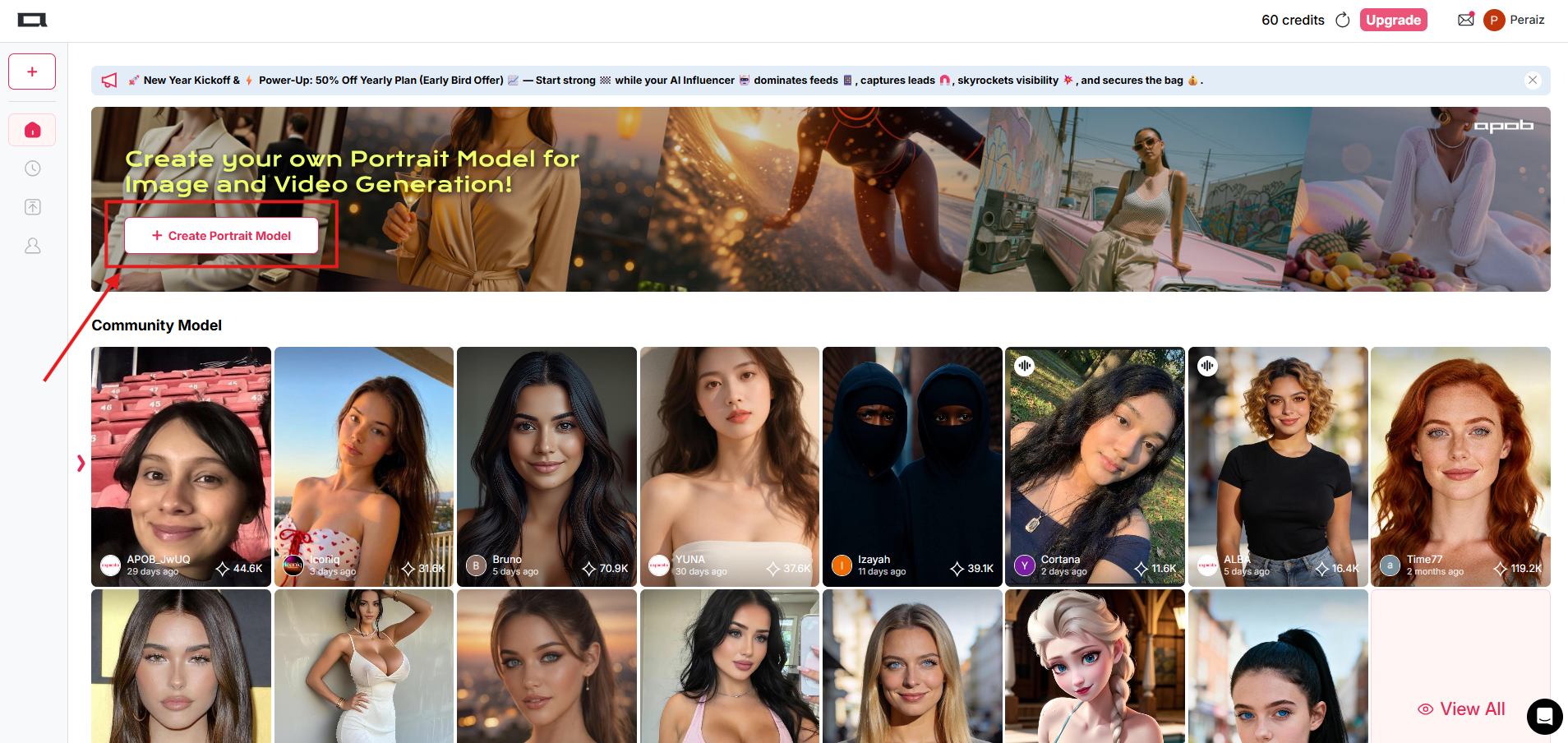
Step 2: Choose Your Creation Method
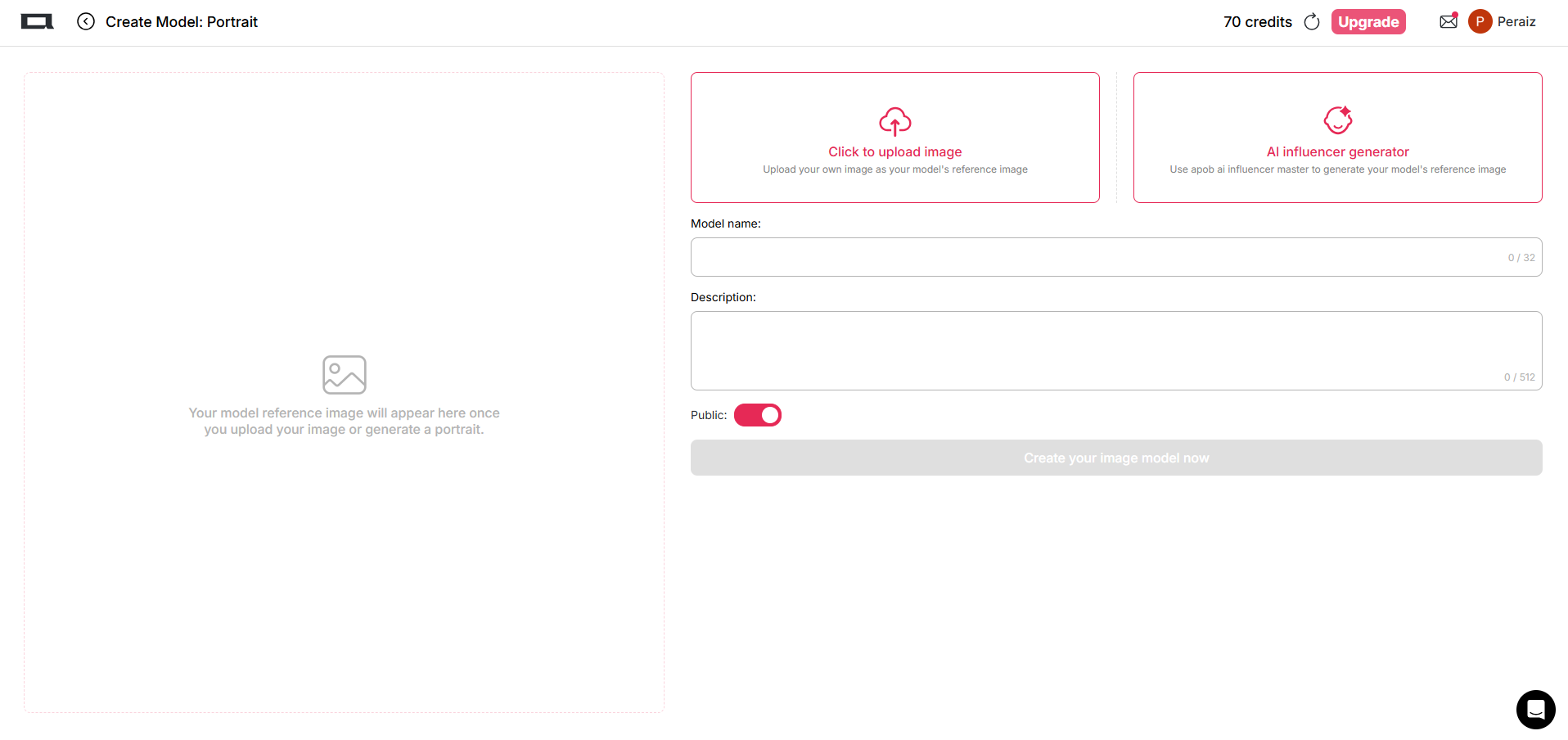
APOB provides two ways to create your models:
-
Upload a Reference Image: If you have a specific look in mind, you can upload a high-quality image of a person. The system will use this image to create a custom AI model.
-
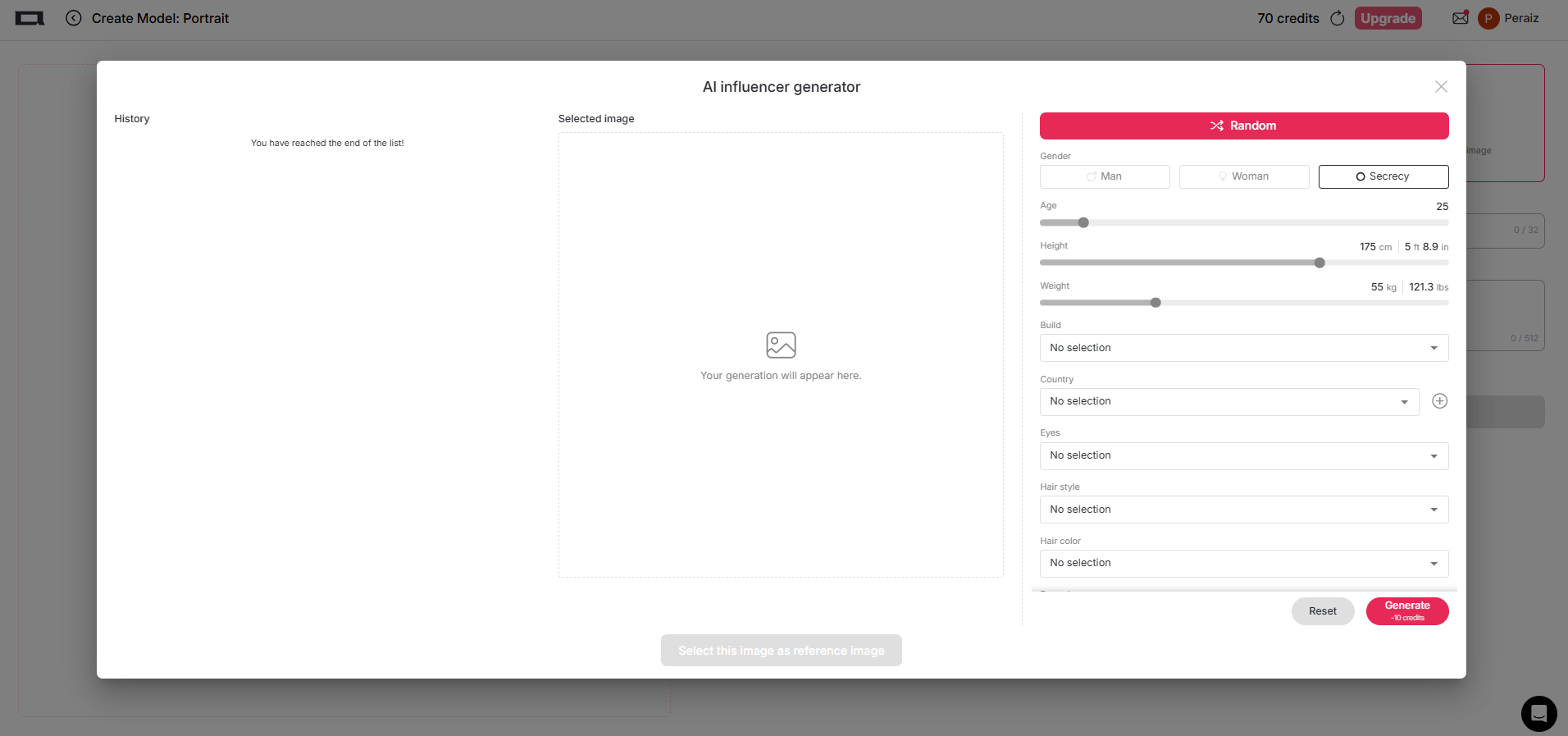
AI Influencer Generator: If you don’t have an image ready, you can start from scratch. Choose from various attributes like gender, age, ethnicity, eye color, and hairstyle. This allows you to create personalized AI models tailored to your needs.
Step 3: Generate Your AI Model
After selecting your preferred creation method, click on the “Generate” button. The platform will take 30-90 seconds to process your selections into a hyper-realistic portrait. Your model is now ready for use!
2. AI Influencer Generator Tutorial
The Influencer Generator feature is one of APOB’s flagship tools. It lets you build an AI influencer from scratch. Here’s how to use it effectively.
Customizing Your Model
-
Select Gender: Choose between Male or Female.
-
Adjust Age: Pick a specific age or let the system auto-generate a suitable range.
-
Ethnicity, Eye Color, and More: Fine-tune the model’s appearance by selecting different attributes like eye color, skin tone, hair type, etc.
Why Use the Influencer Generator?
-
This feature helps you create unique AI personas that can be used across various content types, including social media, videos, and more.
-
The character consistency feature ensures that the AI model looks the same in every image or video you generate, which is crucial for branding.
Image to Video Guide
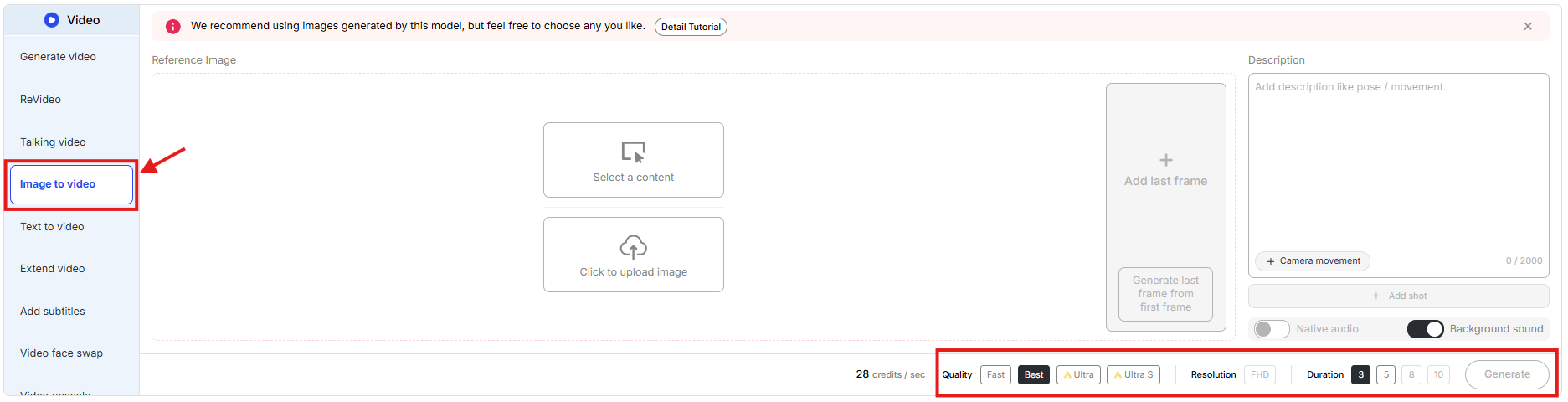
Once you’ve created your AI model, you can take things to the next level by transforming static images into dynamic videos. APOB AI’s image-to-video transformation feature serves as an AI video generation tool that can create visually stunning content.
Step 1: Upload Your Image
Upload the AI-generated portrait you created.
Step 2: Add Movements
You can now add camera movements such as zoom, pan, or tilt to make your image more engaging.
Step 3: Set Duration and Effects
Set the duration for your video (up to 30 seconds) and add transition effects for a smooth video experience.
Step 4: Generate Your Video
Click on Generate and watch your AI model come to life in a video format!
This AI video generation tool can easily be compared to other tools discussed on platforms, where many users recommend it for its ease of use and dynamic video creation capabilities.
Creating Talking Avatars with AI
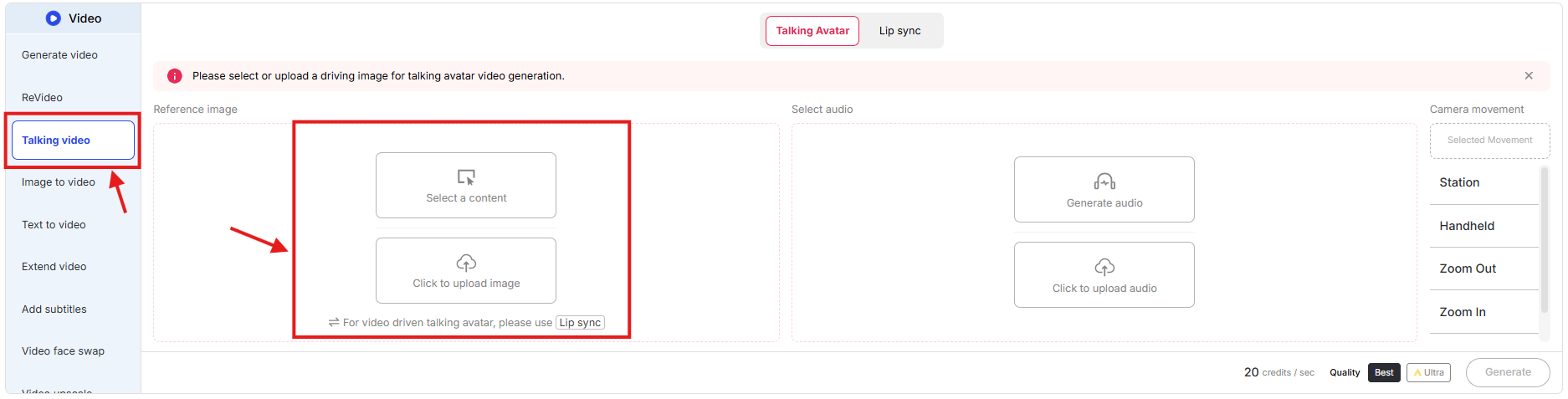
Another great feature is the ability to create talking avatars with AI. This adds a new level of interactivity to your content.
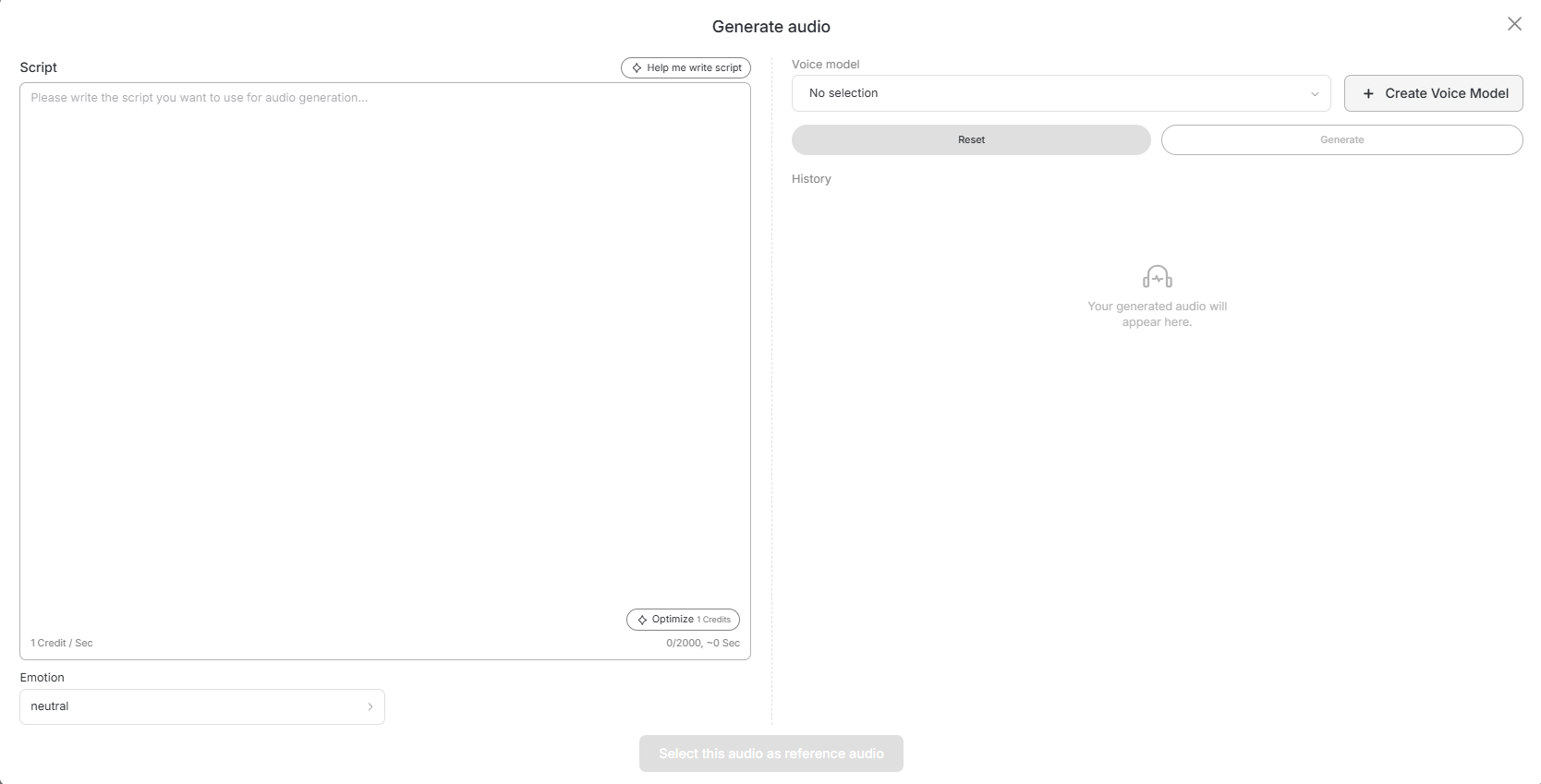
Step 1: Write Your Script
Write a script or use the “Help Me Write Script” feature to create a compelling narrative for your AI model.
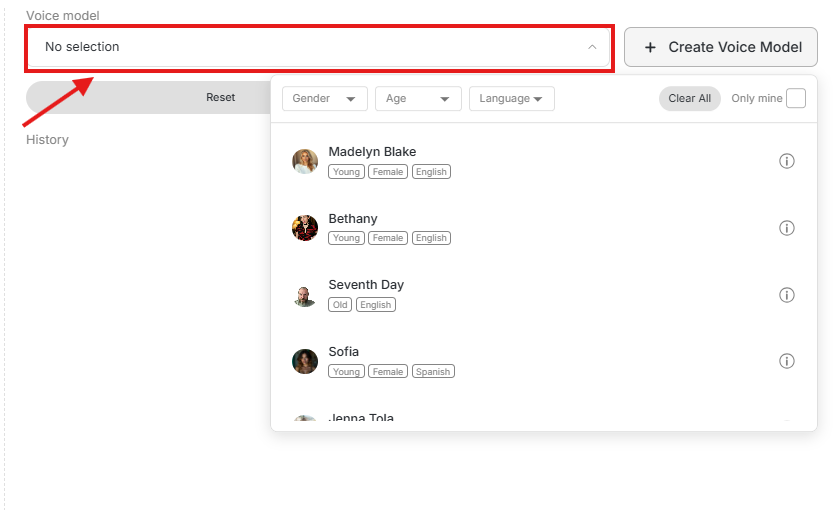
Step 2: Select a Voice Model
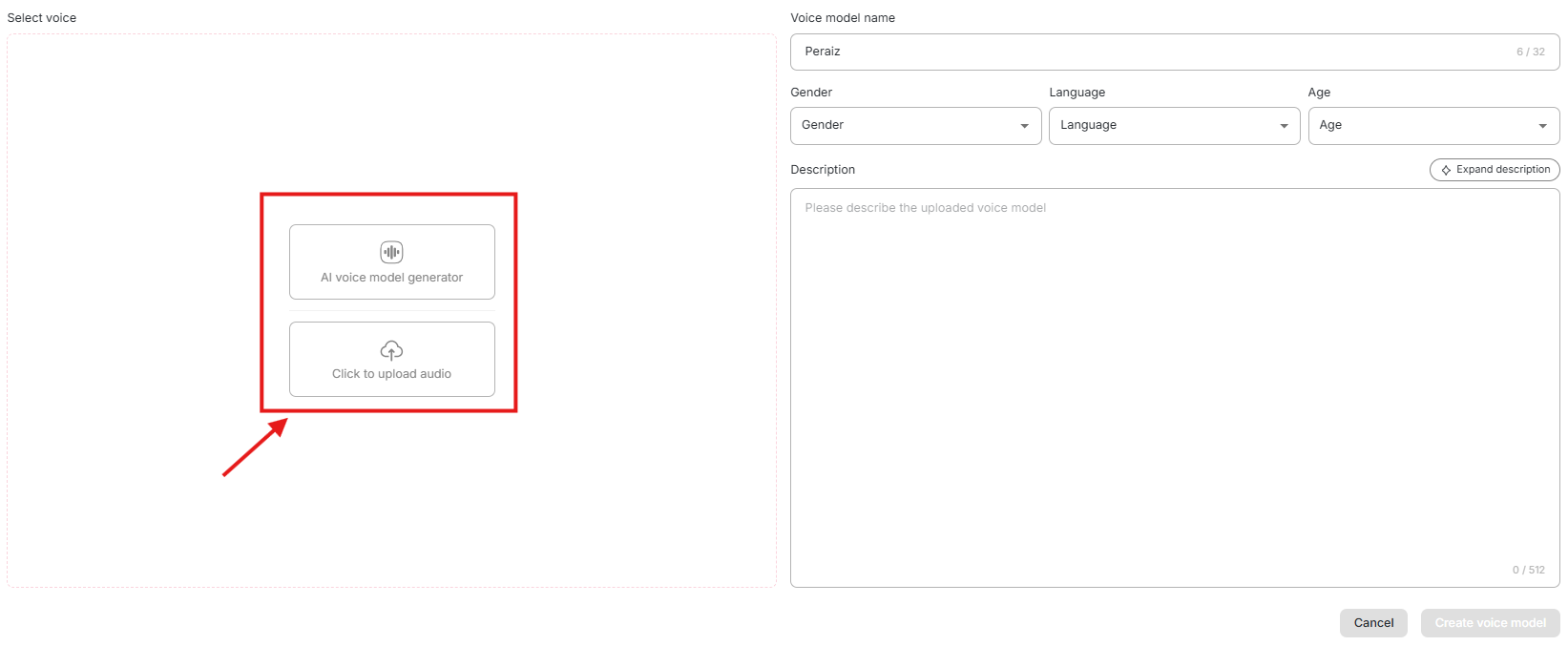
APOB offers several voice models (e.g., British, American, Young, Confident) that you can use to make your avatar speak.
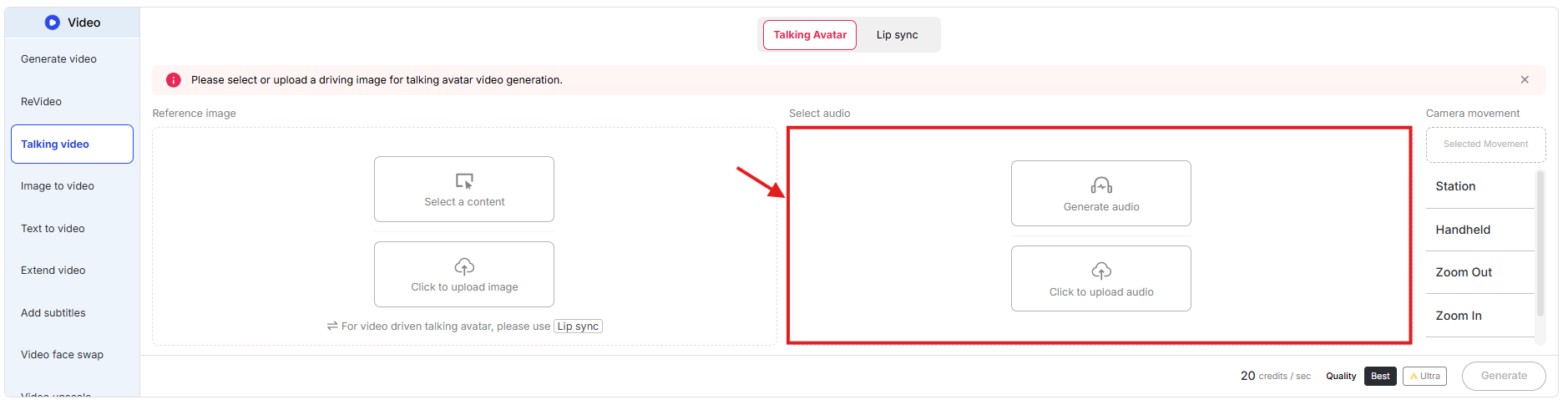
Step 3: Generate Audio
Once you’ve selected the voice, click on Generate. The platform will automatically sync the script with the avatar’s lip movements.
Step 4: Sync and Deploy
Download your talking avatar video and use it in social media content or educational videos.
Creating Content Variations with APOB
One of the standout features of APOB is the ability to create content variations easily, which helps in enhancing creativity and consistency across multiple content types.
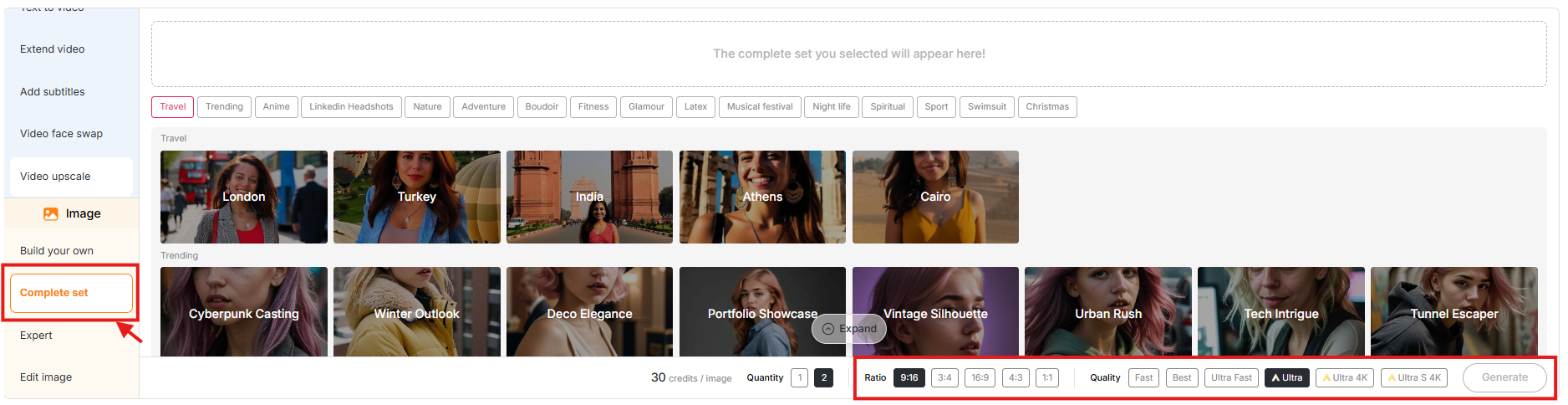
APOB Multi-Mode Image Generation Features
You can generate variations by selecting your saved model and choosing different preferences such as:
-
Style Preferences: Choose between realistic, artistic, or anime styles.
-
Clothing and Accessories: Customize your AI model’s outfit and accessories.
-
Environment Settings: Select from indoor, outdoor, or studio environments.
-
Pose and Expression: Adjust your model’s body language and facial expressions.
With Build Your Own Mode, you can select preset combinations, while Expert Mode allows you to use custom prompts for specific requirements. This makes APOB incredibly versatile for producing a wide range of content variations.
APOB Pricing Plans
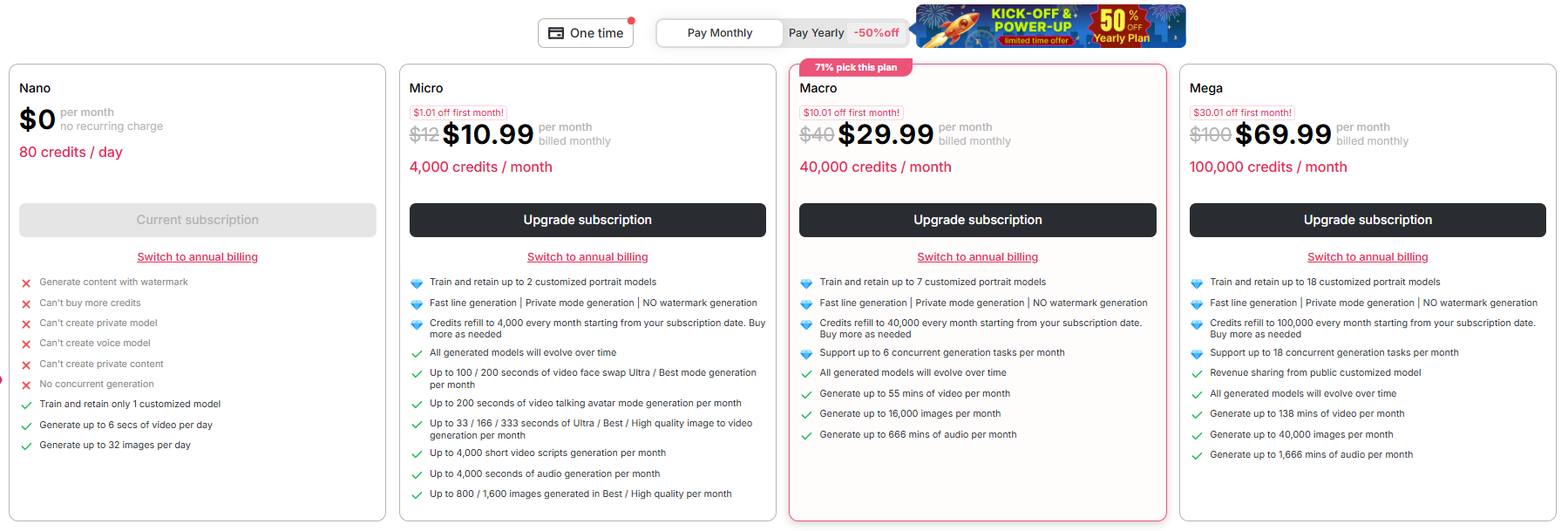
APOB offers flexible pricing tiers designed for different types of users, from beginners to high-volume creators. Whether you’re just starting out or need advanced features, there’s a plan that fits your needs.
| Pricing Plan | Monthly Price | Annual Price | Credits/Month | Custom Models |
| Free | $0 | $0 | 80/day | 1 |
| Micro | $10.99 | $6 | 4,000 | 2 |
| Macro | $29.99 | $20 | 40,000 | 7 |
| Mega | $69.99 | $50 | 100,000 | 18 |
Tips & Tricks for Beginners
If you’re new to APOB, here are some tips to get the most out of the platform:
-
Start with a Clear Image or Idea: The more detailed your initial reference image or selections are, the better your AI model will turn out.
-
Experiment with Customization: Don’t be afraid to explore different combinations of features (hair, eyes, skin tone, etc.) to create unique models.
-
Use Image-to-Video Features: Take advantage of the ability to animate your AI models by adding movement and sound to your videos.
-
Monetize Your AI Model: If you’re a creator or influencer, consider using your AI model to create branded content or even collaborate with brands for sponsorships.
Why Choose APOB for Your AI Influencers?
APOB is an excellent choice for creators who want to produce high-quality, personalized content quickly. With powerful features like the Influencer Generator, Image-to-Video, and Talking Avatars, you can create unique, engaging content without the need for expensive equipment or models.
Whether you’re a beginner or an advanced user, APOB provides the tools you need to create professional-grade AI influencers and videos.
For more expert tutorials, tool reviews, and actionable strategies on building your digital brand with artificial intelligence, be sure to bookmark and explore the Peraiz Blog.
FAQ
Is APOB Free to Use?
Yes, APOB AI offers a free plan with daily credits, allowing you to get started without any upfront costs.
Can I Use APOB for Social Media Content?
Absolutely! The videos and images you generate are perfect for social media posts, ads, and influencer marketing.
How Do I Download My Content Without Watermarks?
To remove watermarks from your content, you need to upgrade to a paid plan, which will give you full access to watermark-free downloads.