Apr 10, 2026|Zer0
AI Content Automation Guide: Master Runable 2.0
The digital marketing landscape is currently suffering from subscription fatigue. Growth teams are juggling a dozen different applications for copywriting, web design, video editing, and data analysis. This creates a highly fragmented workflow that kills productivity and inflates production costs. If you are reading this ai content automation guide: master runable 2.0, you likely want to scale your campaigns efficiently while maintaining a strict CPA (Cost Per Acquisition). While directories like Peraiz are invaluable for discovering and comparing AI tools without the hype, you need more than just a basic text generator to truly succeed — you need true AI content automation.
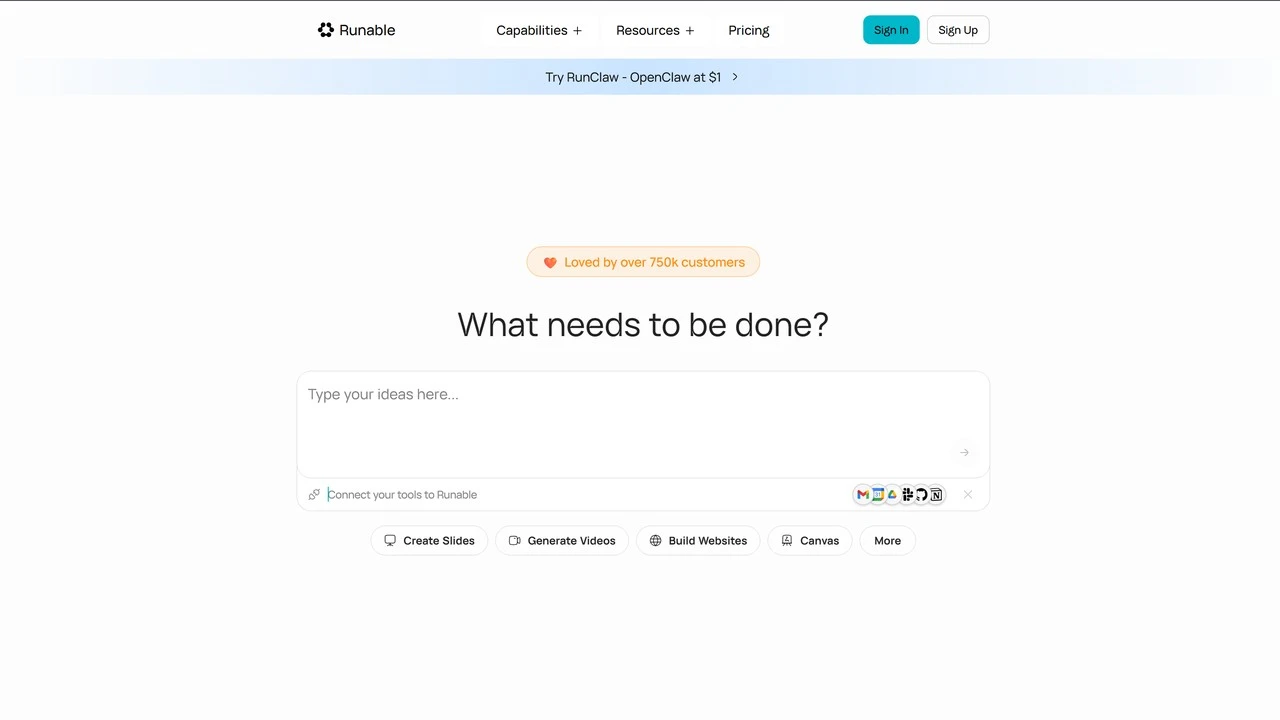
Enter Runable 2.0. By combining autonomous web agents with a multi-format canvas, Runable replaces your disjointed tech stack and acts as your ultimate AI content assistant. It does not just answer questions; it executes complex, multi-step projects from start to finish.
What Is AI Content Automation?
Let’s clear the air and prioritize clarity over hype. AI content automation is not about using a basic chatbot to generate a generic blog post or spin up vanity metrics. True automation is a result-driven execution engine. It is the ability to delegate a complete, multi-step digital marketing pipeline to an autonomous system.
Instead of manually bridging the gap between an AI content assistant that writes text, a separate tool that renders video, and another that builds landing pages, true AI content automation unifies this workflow. It takes a strategic objective — like launching a high-converting campaign — and autonomously handles the competitive research, structuring, multimedia generation, and formatting. By removing the friction of manual tool-switching, it allows growth marketers to focus purely on strategy, actual audience engagement, and driving down CPA.
Here is a comprehensive guide on how to master this platform and implement powerful AI workflow automation into your daily operations.
The 4-Step Guide to Mastering the Runable Agent
To get the most out of modern AI tools for marketers, you must change how you interact with the software. Forget about spending hours crafting the perfect prompt; the Runable Agent is designed for natural collaboration. Here is how to use it the right way.
Step 1: Initiate the Core Loop
The premise is simple: you type what you want built, and the agent builds it. You do not need to be highly specific about the “how.”
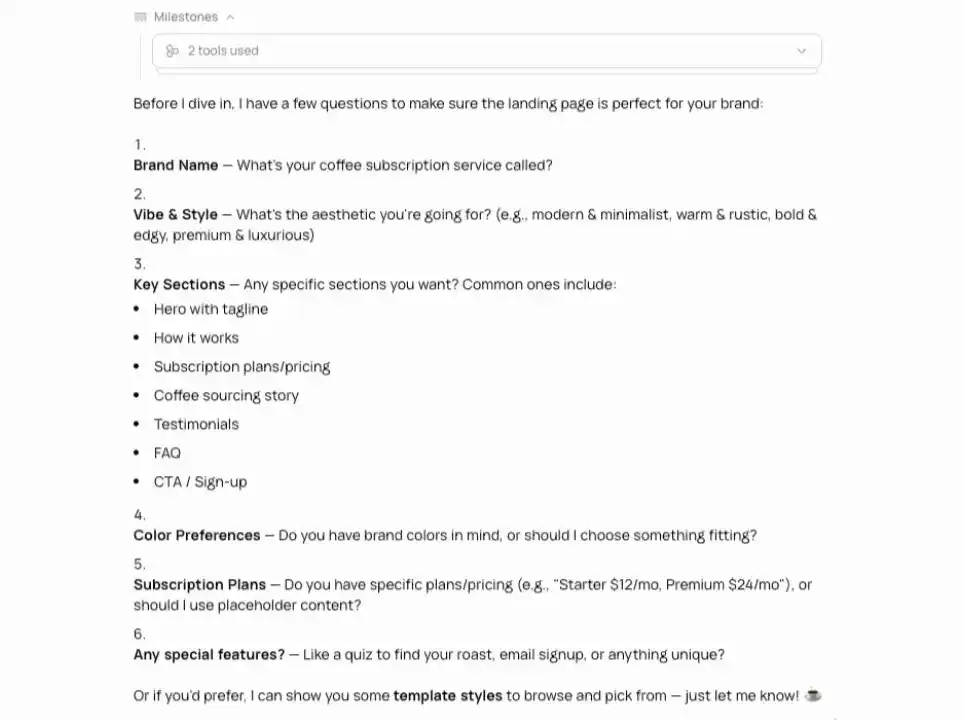
Whether you need a website, a pitch deck, or a video, just describe your goal (e.g., “Build me a landing page for my coffee subscription service”). Your AI for content marketing will read the prompt, figure out what information is missing, and ask clarifying questions before it starts. It might ask about your preferred style, target audience, or necessary integrations. You answer, it builds, and you review the live result in the side panel. This simple loop—describe, answer, review, iterate—is the foundation of seamless execution.
Step 2: Master the Input Bar Ecosystem
The input bar is the command center for all Marketing asset generation. Understanding its layout ensures you deploy the agent correctly:
- The + Button: Attach images, PDFs, spreadsheets, or code. The agent uses them as strict context.
- Chat Button: Switches the agent to research-only mode. It will analyze files and answer questions without building anything.
- Model Selector: Choose your engine. Higher tiers provide deeper reasoning for complex tasks, while lighter models are perfect for fast, simple edits.
- Connectors: Link over 3,000+ apps (Slack, Notion, Shopify) so the agent can work natively within your existing tech stack.
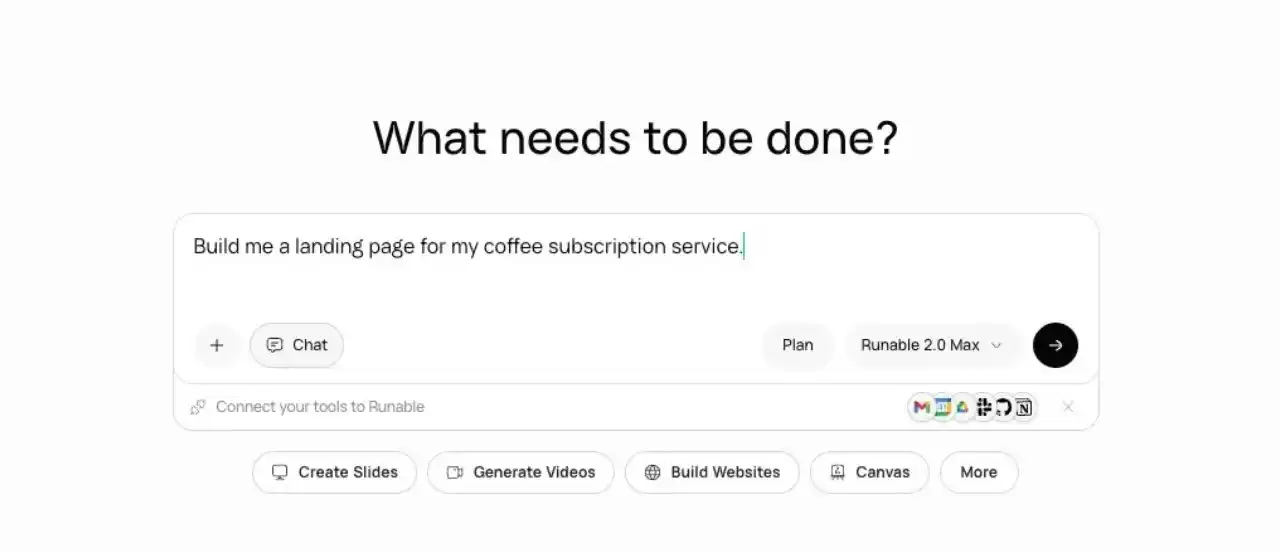
| Element | Description |
| Text area | Type your idea here |
| button (left) | Attach files: images, PDFs, spreadsheets, videos, code, anything. The agent uses them as context |
| Chat button | Switches to Chat mode, which is research-only. It answers questions and analyzes files but does not build anything. The default view is the agent you are already in build mode |
| Plan button (right side) | Click this before sending a complex request. The agent will research, ask questions, and write a plan for your approval before it starts building |
| Model selector | Pick your model (like Runable 2.0 Max). Higher tiers give deeper reasoning for complex tasks; lighter ones are faster for simple edits |
| Connect your tools | Link Google, Slack, Notion, GitHub, Shopify, and 3,000+ other apps so the agent can work with your existing stack |
| Quick actions (below the input) | Shortcuts like Create Slides, Generate Videos, Build Websites, Canvas, and More. Tap one to start with a focused prompt |
Step 3: Deploy Plan Mode for High-Stakes Execution
When you are about to ask the agent to build a multi-page website with a database and user authentication, you do not want it to sprint in the wrong direction. For these complex tasks, you must click the Plan button before sending the message.
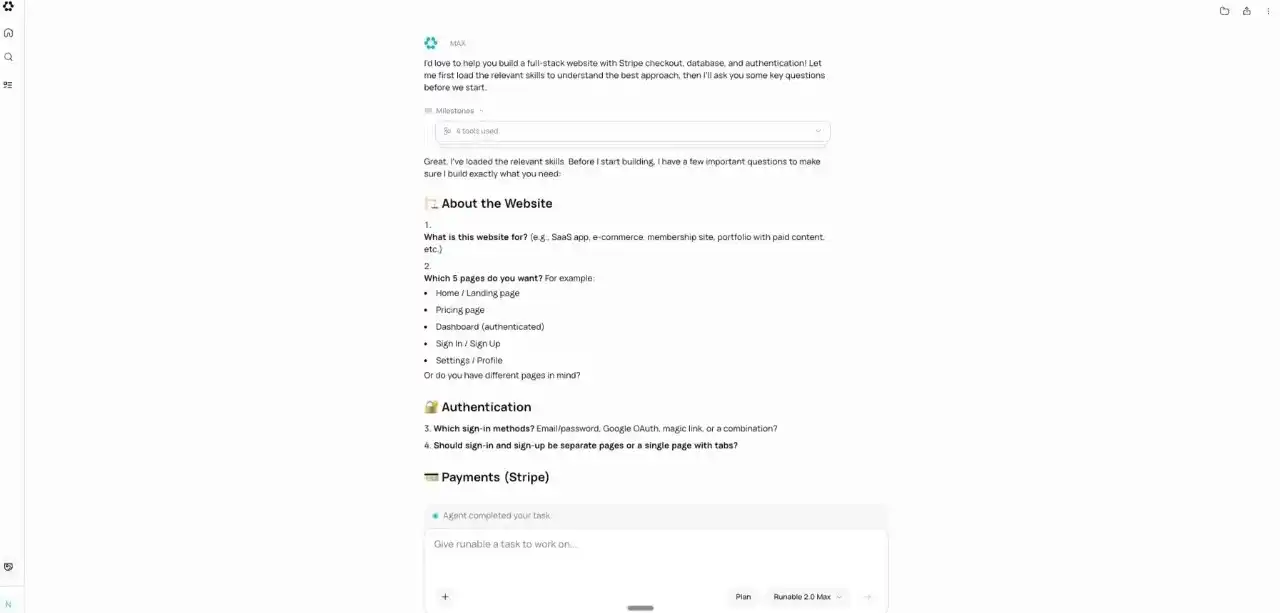
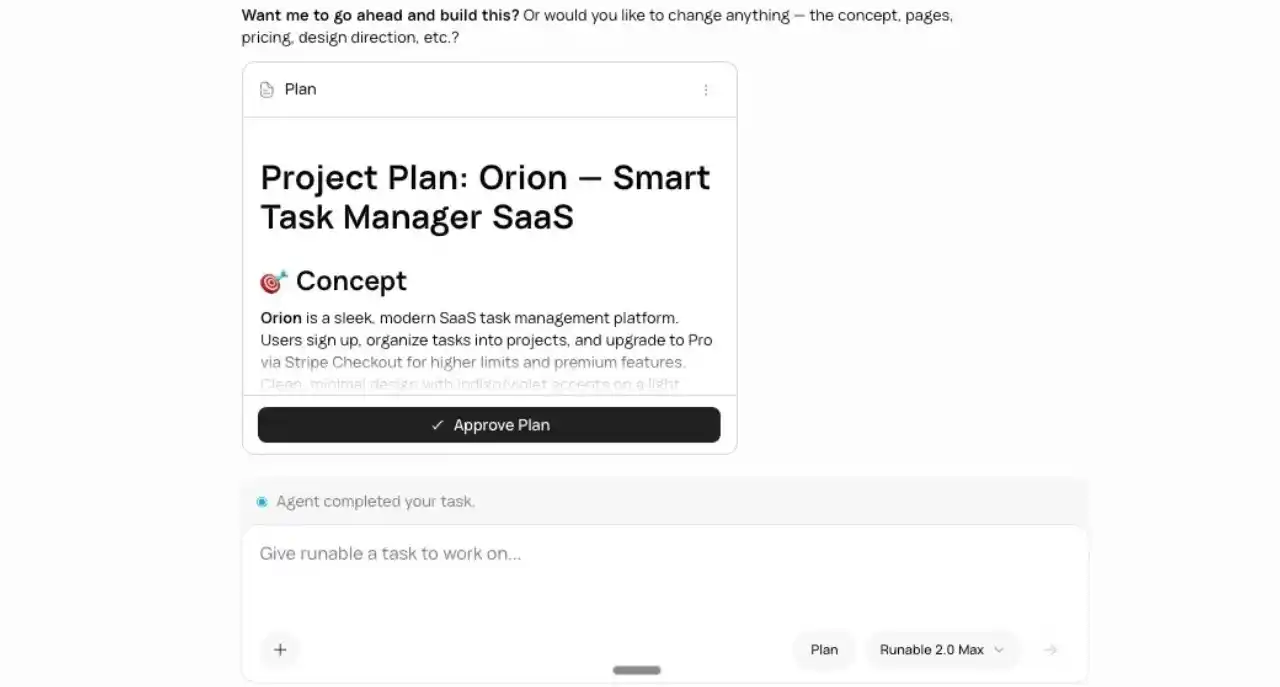
What happens next feels like a strategy session. The agent searches the web, reads your uploaded files, and asks critical questions (“Should payments be one-time or recurring?”). Once you hash out the details, it writes a structured breakdown of the build order and the tools it will use. You review, tweak, and approve the plan. Only then does it write code. This feature is the ultimate safety net for complex AI workflow automation.
Step 4: Package Custom Workflows into Skills
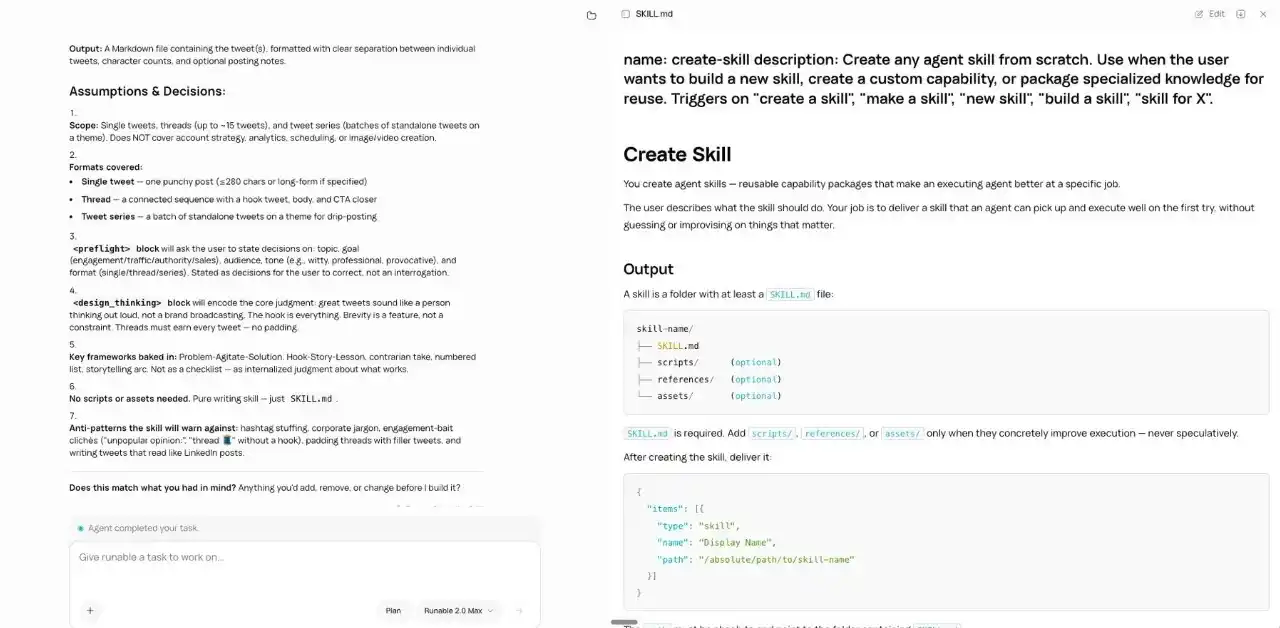
Whenever you ask the agent to build something, it automatically pulls up a “Skill” — a pre-built workflow containing the right tools and templates for that specific job (like the Stripe skill or the presentation skill).
However, the real power of AI content automation lies in building your own custom Skills. If you run the same task repeatedly — such as generating a weekly client report or formatting custom SEO content—just ask the agent to build a skill for it. It will create a folder with a SKILL.md file saved to your sandbox. The next time you need that task done, the agent will follow your exact bespoke process without you ever having to re-explain it.
The Power of Plan Mode for Complex Execution
When the stakes are high, you do not want an AI sprinting in the wrong direction. If you ask the agent to build a multi-page website with a database and user authentication, immediate execution will likely lead to structural errors.
This is where Runable’s “Plan Mode” becomes indispensable. Before generating a single line of code or designing a layout, clicking the “Plan” button forces the agent to act as a technical strategist. It searches the web for relevant patterns, reviews any documents you have uploaded, and comes back to you with critical questions.
Once these parameters are hashed out, the agent writes a structured breakdown of the project. You review the plan, tweak it, and approve it. Only then does the actual building begin. For enterprise users managing complex projects, this level of AI content automation saves countless hours of revisions.
Brand Consistency on Autopilot
One of the most frustrating aspects of using standard AI models is the need to constantly re-explain your brand guidelines. Runable solves this with its persistent “Memory” feature.
Every time you initiate a new project, the agent checks its memory banks first. You only need to define your rules once. For example, you can state: “Always use a minimalist aesthetic. The primary color palette must be dark mode with purple and neon accents, utilizing the Plus Jakarta Sans typography.” From that moment on, every website UI, slide deck, or social media carousel the agent generates will default to those exact specifications. This is the true power of an AI content assistant that remembers your brand.
Runable Pricing
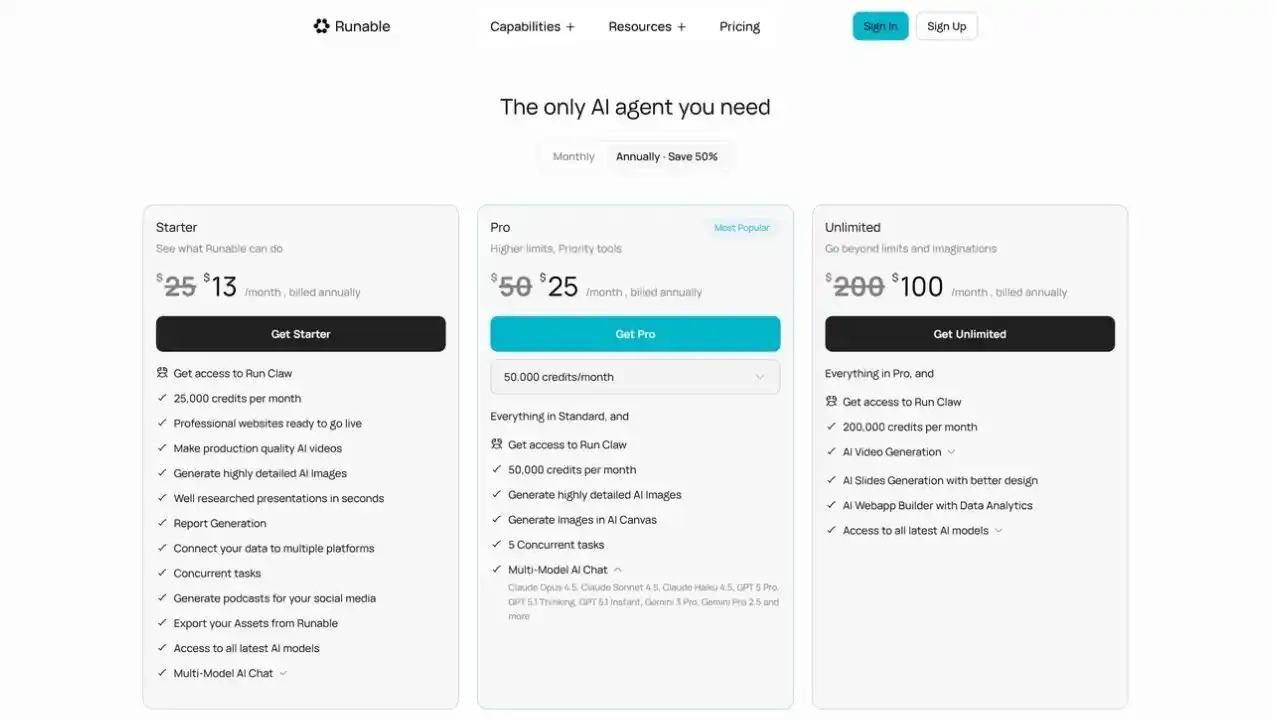
Runable is positioned as a strategic cost-consolidation tool. By replacing your fragmented software stack, you optimize your budget while scaling output. Here are the core plans (Billed Annually):
- Starter ($13/month): The best value for rapid execution. Includes 25,000 credits/month, 3 concurrent tasks, access to the Run Claw agent, and production-quality video and slide generation.
- Pro – Most Popular ($25/month): Perfect for power users and scaling teams. Includes 50,000 credits/month, 5 concurrent tasks, and access to all the latest high-tier AI models.
- Unlimited ($100/month): Unlocks peak performance. Includes 200,000 credits/month, 20 concurrent tasks, and advanced features like the AI Webapp Builder with integrated Data Analytics.
Transform Your Digital Production Cycle Today
Stop allowing fragmented tools to inflate your CPA and slow down your campaigns. Consolidate your workflow, multiply your output, and let AI content automation handle the heavy lifting while you focus on the high-value strategic work that actually drives revenue. Want to see how this workflow fits your growth team? Explore Runable here.
For more practical insights, deep reviews, and real workflow strategies to stay ahead of the curve, be sure to bookmark and read the Peraiz Blog.
FAQs
- Is Runable 2.0 just another chatbot wrapper?
No. Runable is an integrated ecosystem of Agent Skills (Websites, Slides, Video) orchestrated by a powerful autonomous agent. It can research, plan, write code, design assets, and deploy them on its own.
- How do I ensure my automated content has a human touch?
Runable is designed for collaboration, not total replacement. The agent is your execution engine, handling the manual labor of asset creation. This frees up your time to hone the high-level strategy, emotional hooks, and brand authenticity.
- Can I build my own automated workflows?
Absolutely. If you run the same type of task repeatedly, you can ask the agent to package that process into a custom “Skill.” The agent will follow your bespoke process without you re-explaining it every time.