Nov 02, 2025|Jully
Autoshort AI: The Ultimate Free Video Creator AI for Effortless Short-Form Video Creation
In today’s fast-paced digital world, short-form videos have become one of the most powerful tools for engaging audiences. With the rise of platforms like TikTok, Instagram Reels, and YouTube Shorts, creating captivating content in just a few seconds is more critical than ever. While directories like Peraiz are perfect for discovering and comparing the latest creative software, finding a tool that genuinely automates your editing process is the real game-changer. If you are looking for a reliable solution, this review on autoshort ai: the ultimate free video creator ai for effortless short-form video creation will show you exactly how to streamline your workflow. Enter Autoshort AI, an innovative platform that helps businesses, marketers, and content creators effortlessly transform long-form videos into engaging short clips in minutes. Whether you’re an influencer, a small business, or a digital marketing agency, Autoshort AI offers an efficient solution to create high-quality videos without the need for extensive editing skills.
1. What is Autoshort AI?
2. Key Features of Autoshort AI
Video Generation: Effortless AI-Powered Content Creation
Automatic Publishing: Simplify Social Media Management
Video Customization: Tailor Your Content for Maximum Impact
3. How Does Autoshort AI Work?
Step 1 – Sign Up:
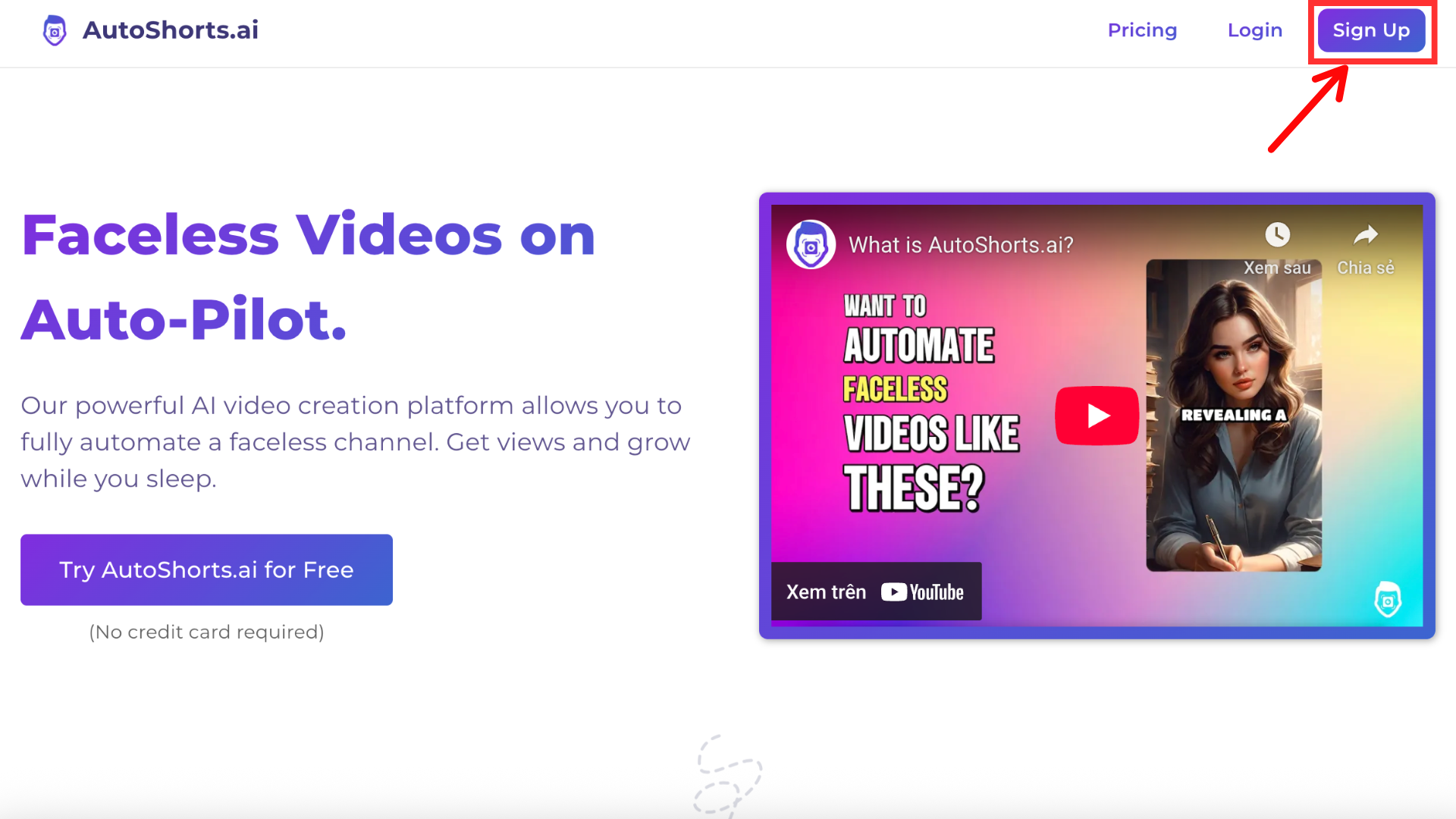
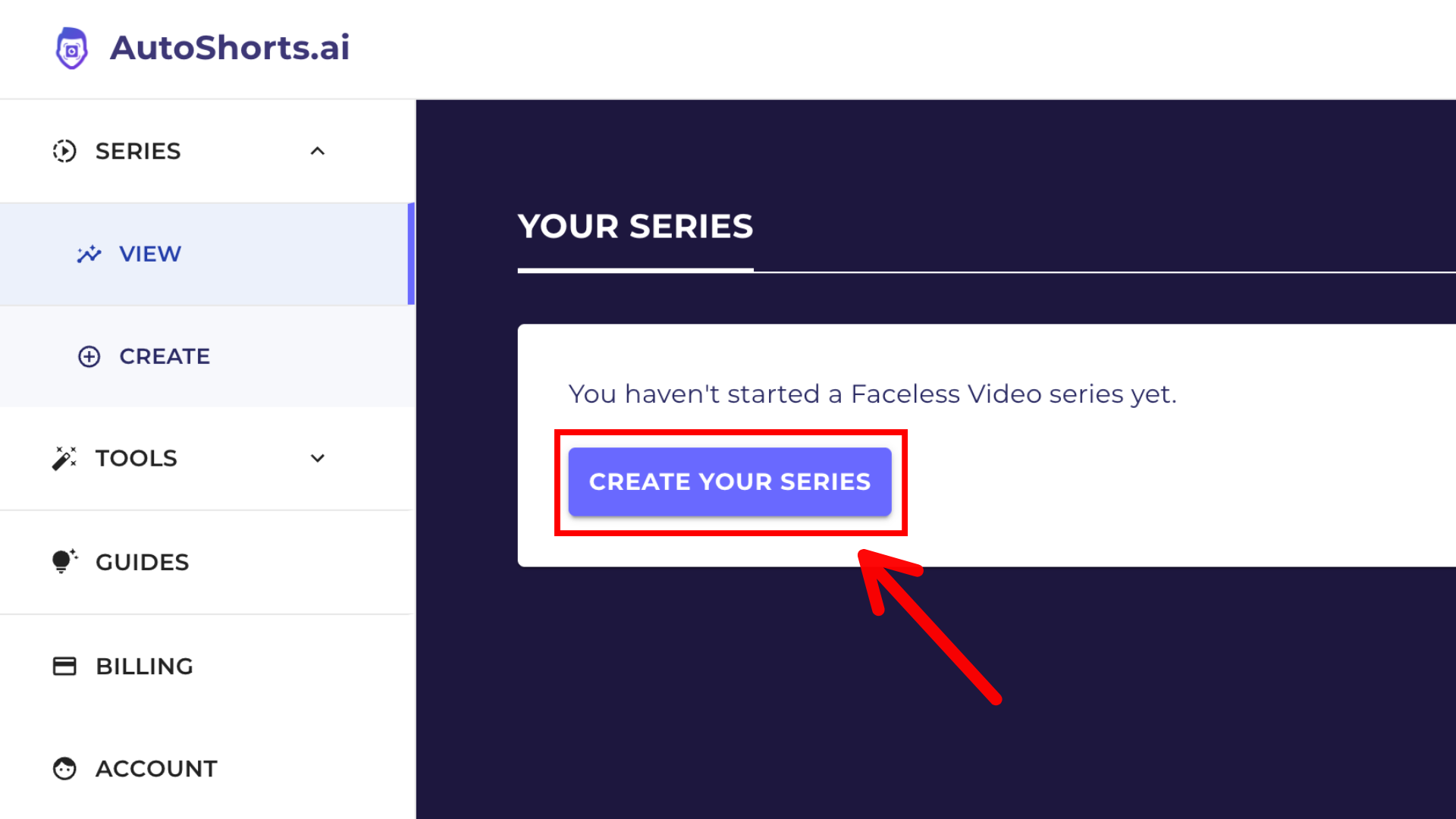
Step 2 – Create Your Faceless Video Series
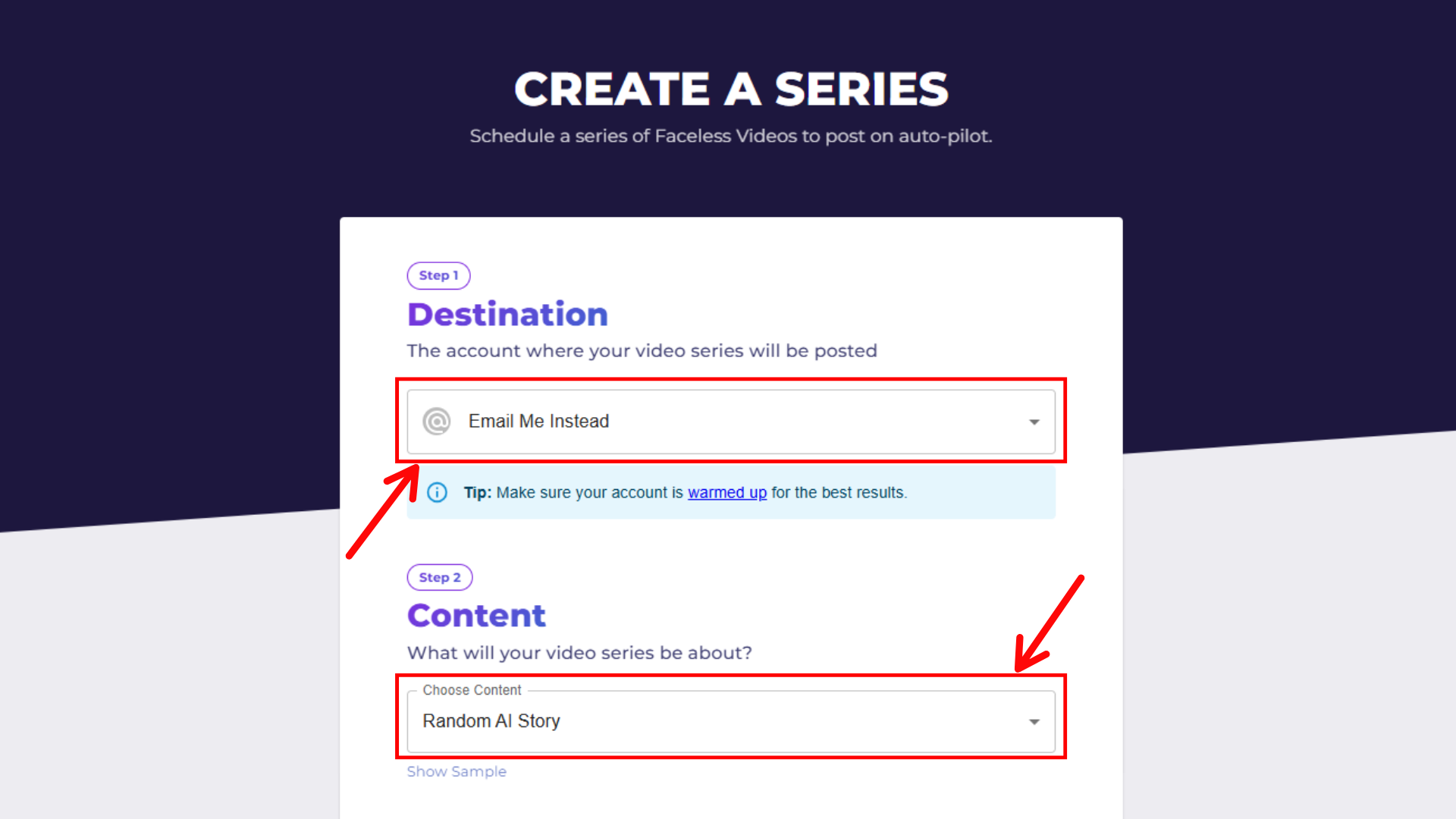
Step 3 – Set Up the Series
- Destination: Choose where your video series will be posted. You can select “Email Me Instead” or a social media platform based on your needs.
- Content: Select the type of content your video series will be about. For example, choose “Random AI Story” or other available content options .
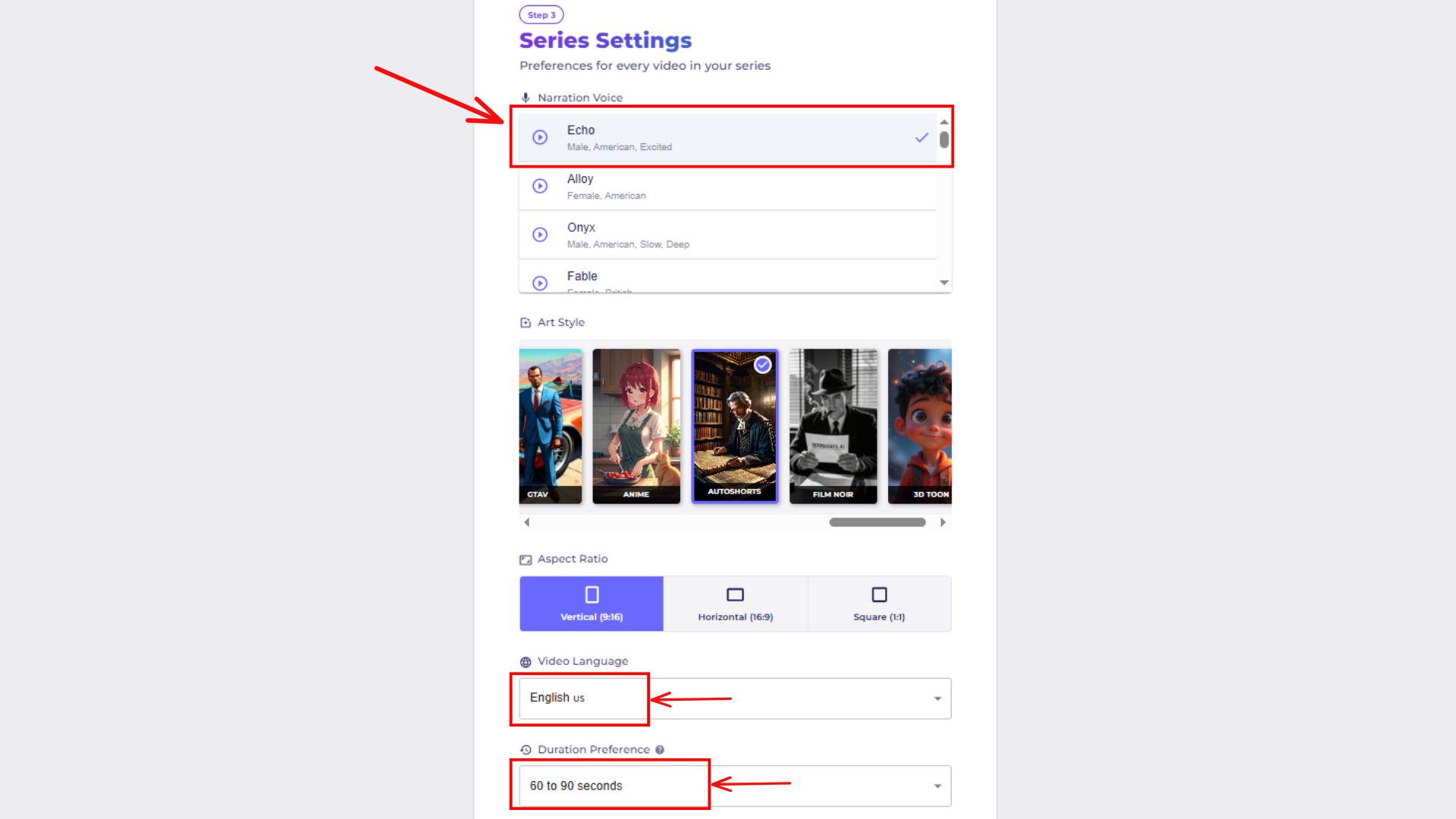
Step 4 – Series Settings
-
Narration Voice: Select the voice for narration (e.g., “Male”, “Female”, or “Custom”). You can also select from different accents or languages like English (US) .
-
Video Length: Set the duration of each video, typically between 60-90 seconds .
-
Language: Select the language for the videos, such as English (US) .
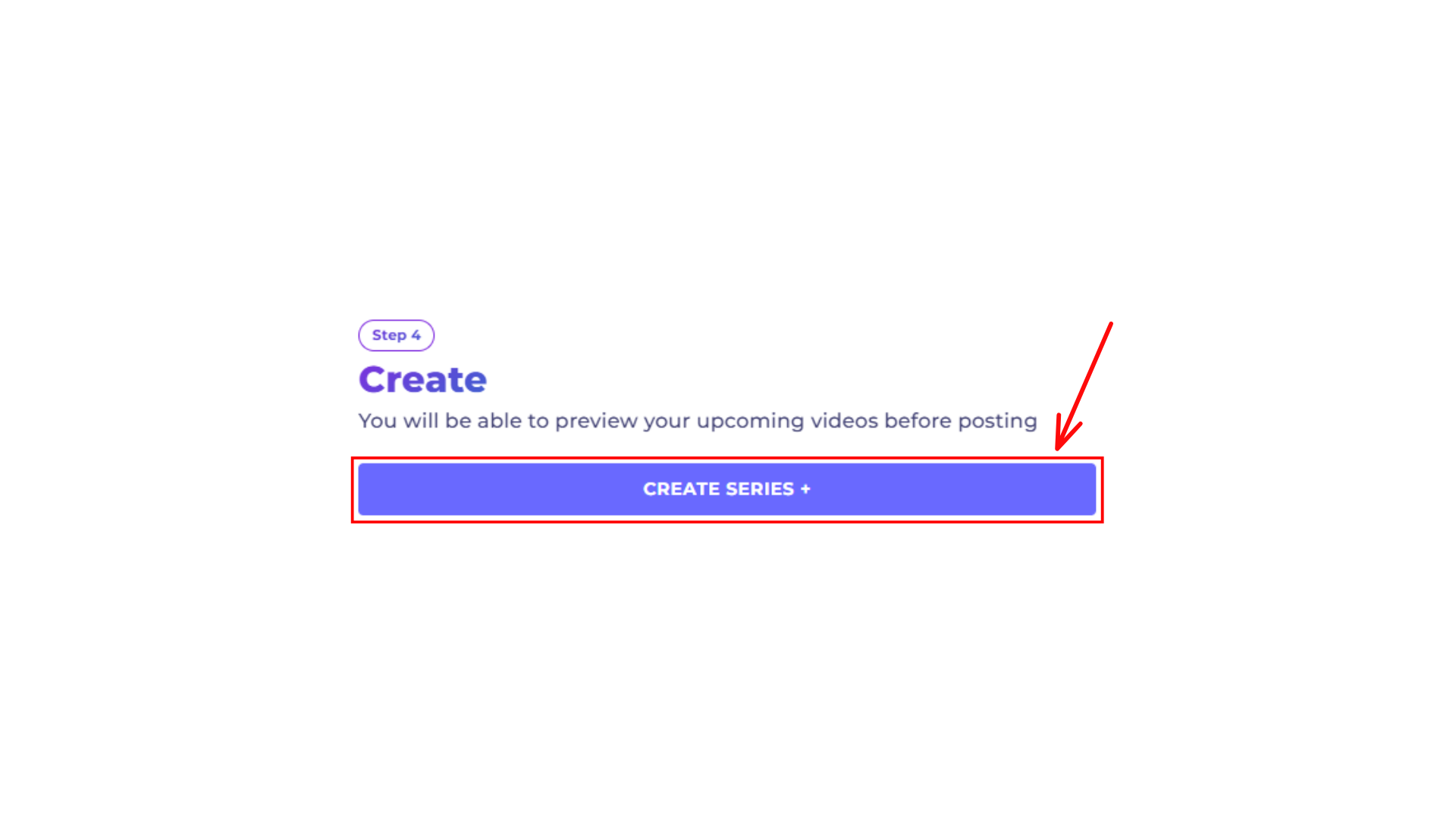
Step 5 – Create the Series
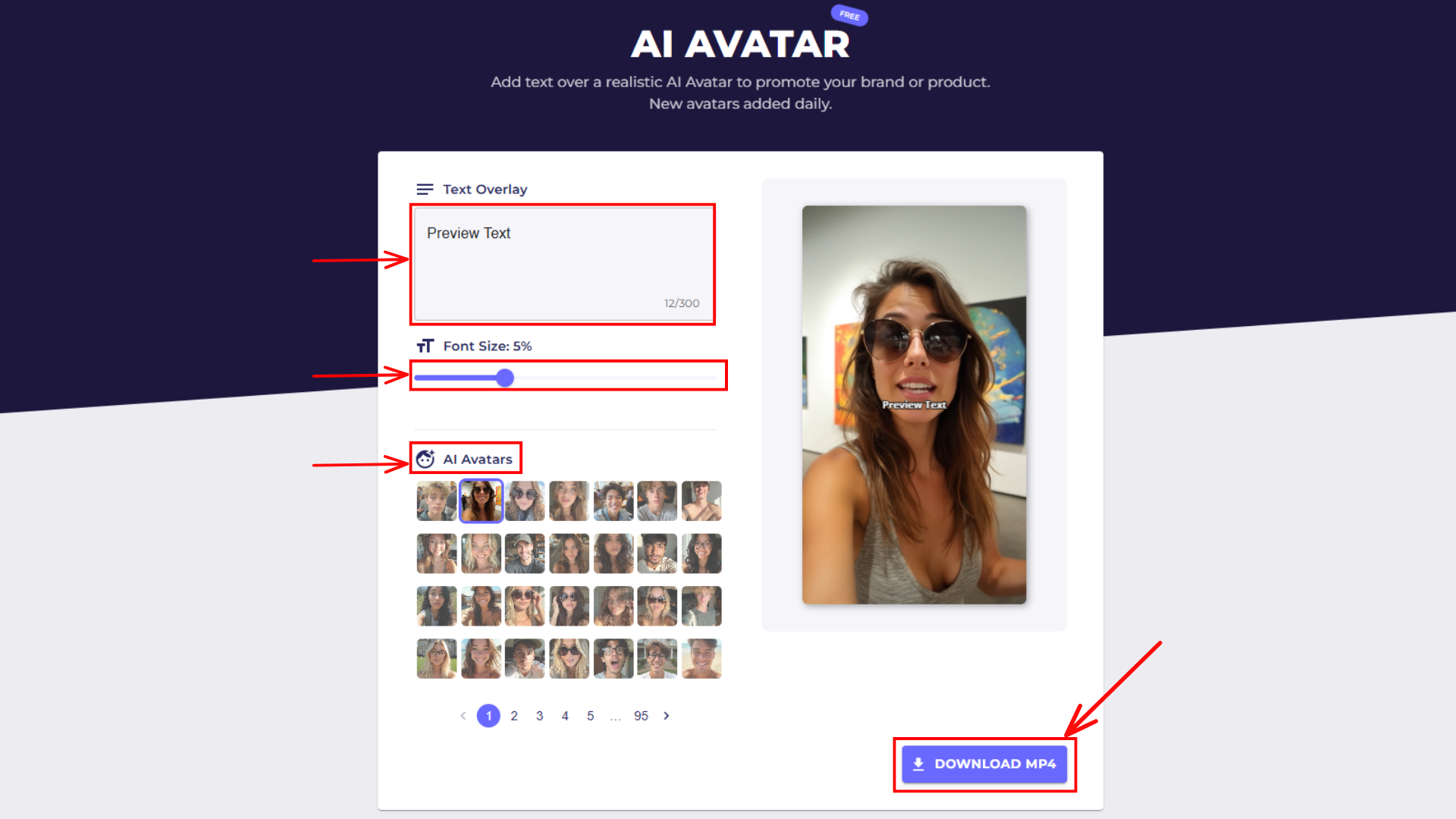
AI Avatar Customization
-
For enhanced branding, you can add AI Avatars to your videos. You can overlay text on the avatars, adjust font size, and choose from a variety of avatars .
-
After customization, simply click “DOWNLOAD MINI” to save your avatar-enhanced video.
4. Why Should You Use Autoshort AI?
- Speed: Autoshort AI enables you to create high-quality short-form videos within minutes, saving you significant time compared to traditional editing methods.
- Engagement: Short-form videos are proven to drive higher engagement on social media platforms. By repurposing your content into bite-sized videos, you can attract more views and interaction.
- Cost-Effective: With its free video creation tools and affordable pricing plans, Autoshort AI is a cost-effective solution for businesses and creators on a budget.
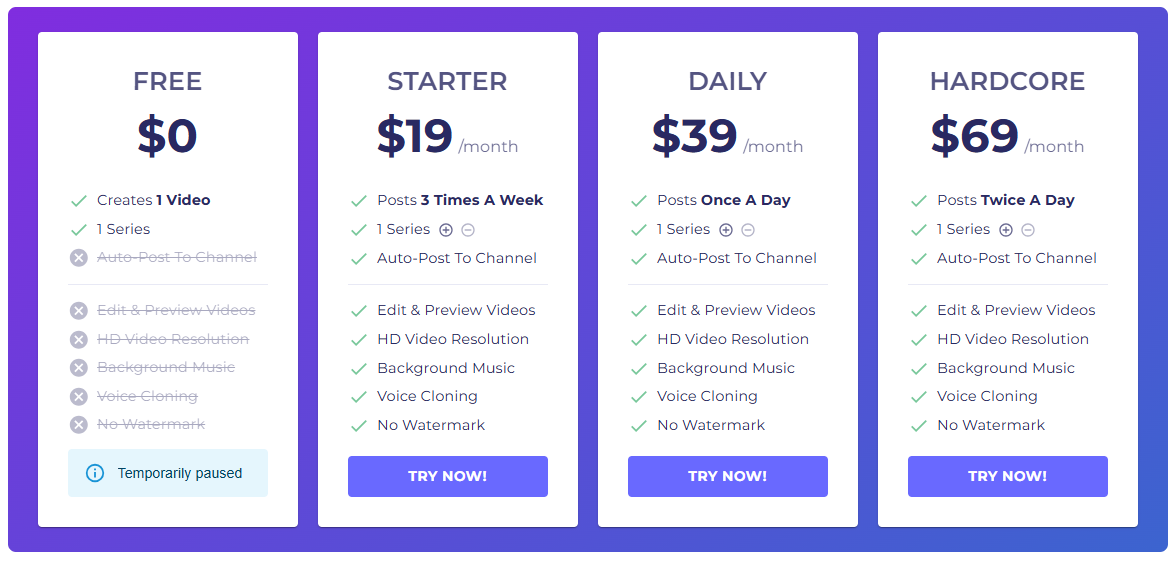
5. Pricing & Plans
- Free Plan: Ideal for small-scale creators and businesses. This plan gives users access to basic features like limited video generation and editing tools.
- Pro Plan: For more serious creators, the Pro Plan includes unlimited video uploads, advanced editing features, and additional customization options. Pricing starts at $29.99 per month.
- Enterprise Plan: Tailored for businesses with high video production needs, the Enterprise Plan offers advanced features such as team collaboration tools and dedicated support. Pricing is customized based on requirements.
6. User Feedback
7. Conclusion
For more expert insights, tool reviews, and actionable strategies on scaling your social media presence with artificial intelligence, be sure to bookmark and explore the Peraiz Blog.